

Review: Nano Banana by Google Ai
Nano Banana is an AI-powered image generation and editing tool built on Google DeepMind’s Gemini 2.5 Flash Image model.
Like ChatGPT and other AI tools, Nano Banana is driven by user prompts. It can recreate, composite, generate from reference images, turn stills into video clips, or create visuals from scratch (with some features limited to Google AI Studio and Whisk).
But how do you use it, and just how powerful is it?
This is a short review from a 'traditional' photographer who rarely uses Photoshop these days, but who uses Lightroom daily.
The tech
Nano Banana is available in the Google AI Studio and through the Google Whisk platform, with slightly different implementations in each, and it’s also available in the Gemini iOS and Android apps, where you can use voice prompts.
If you're using it via Google AI Studio or the Gemini apps, it's a bit more straightforward - you simply load an image and enter your prompt.
Additionally, it's also now in Photoshop which is where many photographers are likely to access it through in the future - more on that below.
In use
It’s very easy to use: load an image, type a prompt – change the angle, remove people, switch the season, insert a spaceship, or generate something entirely new.
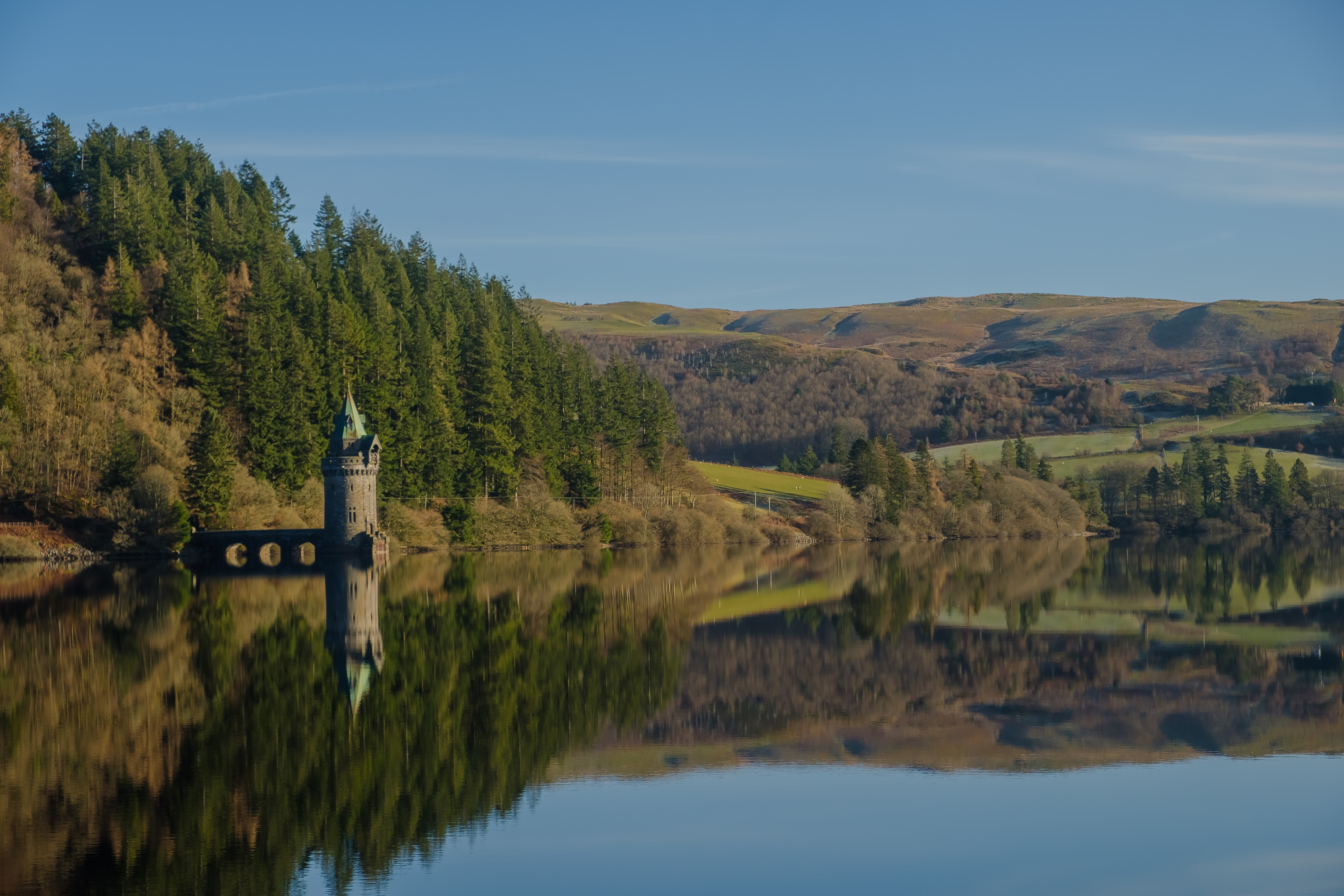
Here's an example. I captured this image in Lake Vyrnwy, Wales, UK.
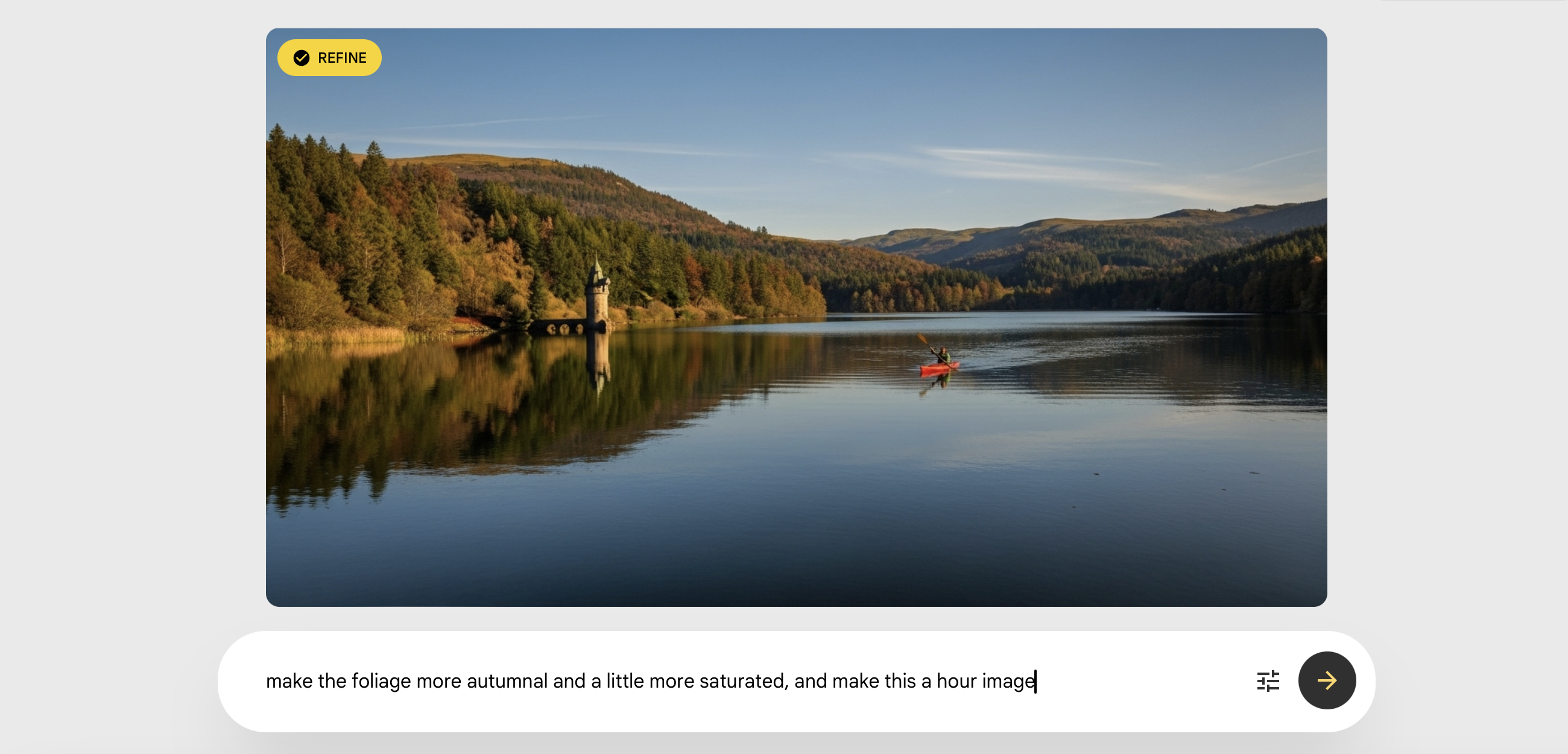
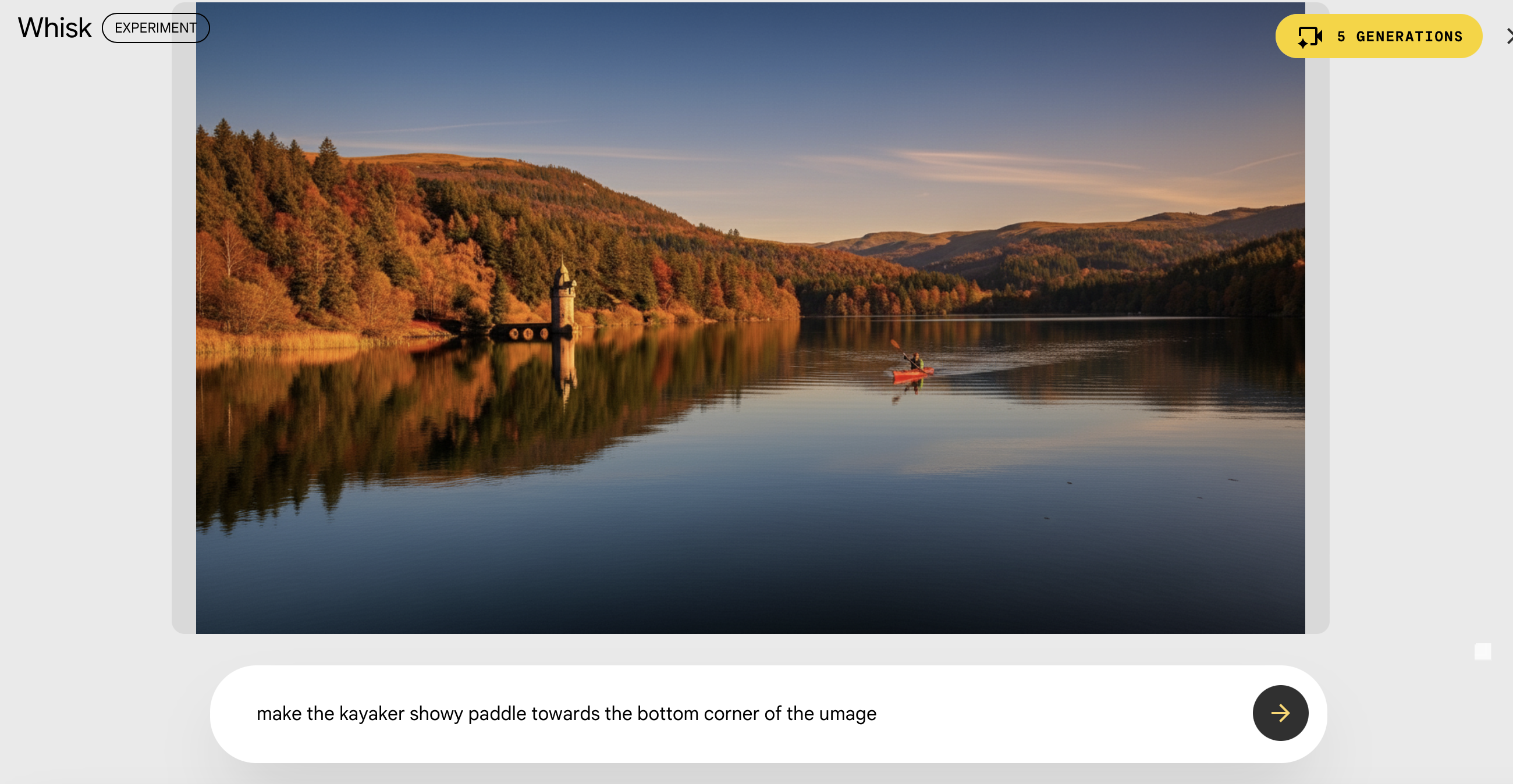
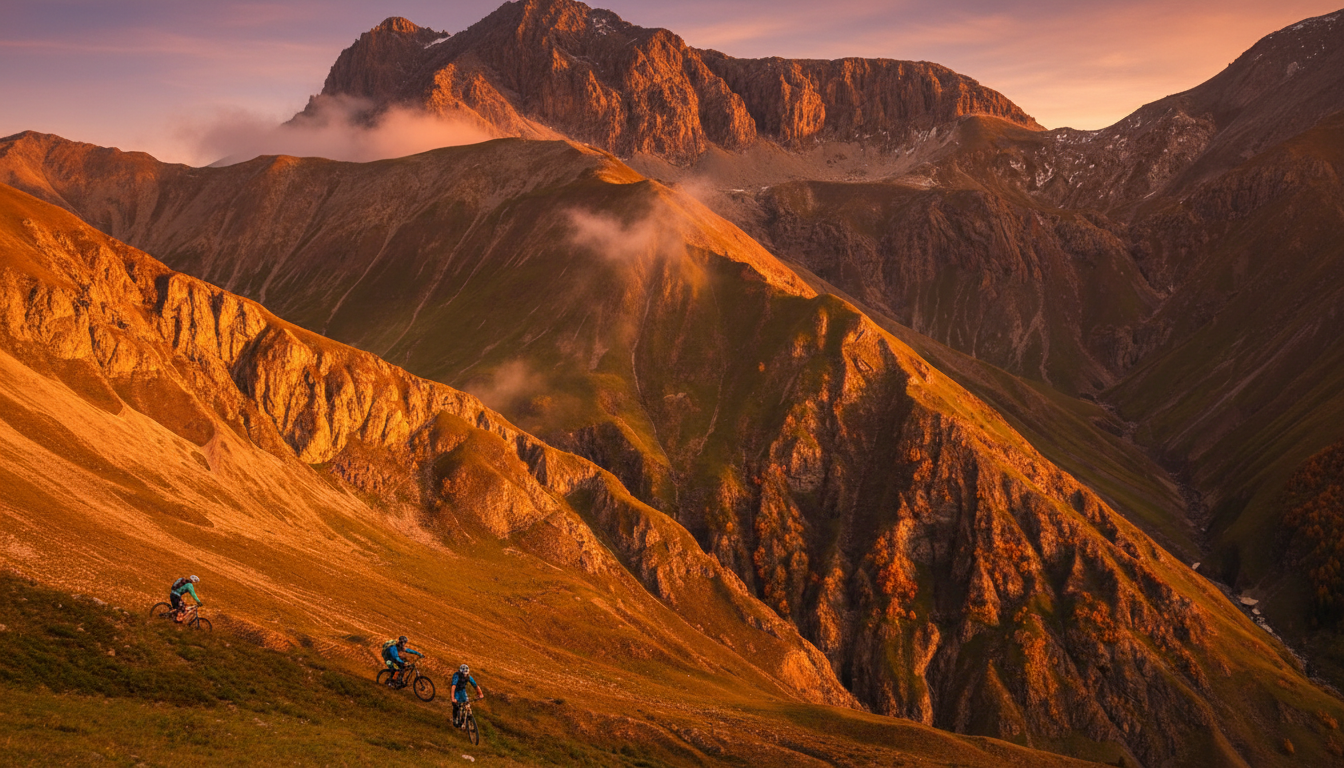
For this image captured in Livigno, Italy, during midday light, I again asked it to warm up the image, and also place light around the mountain bikers. It did a pretty good job of lifting the shadows in this specific areas.


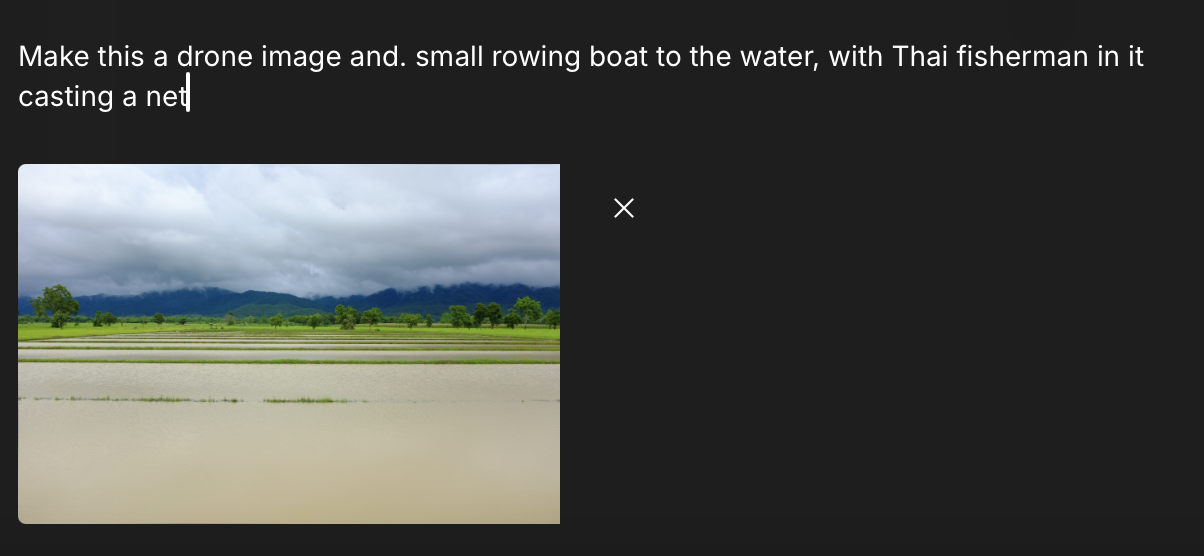
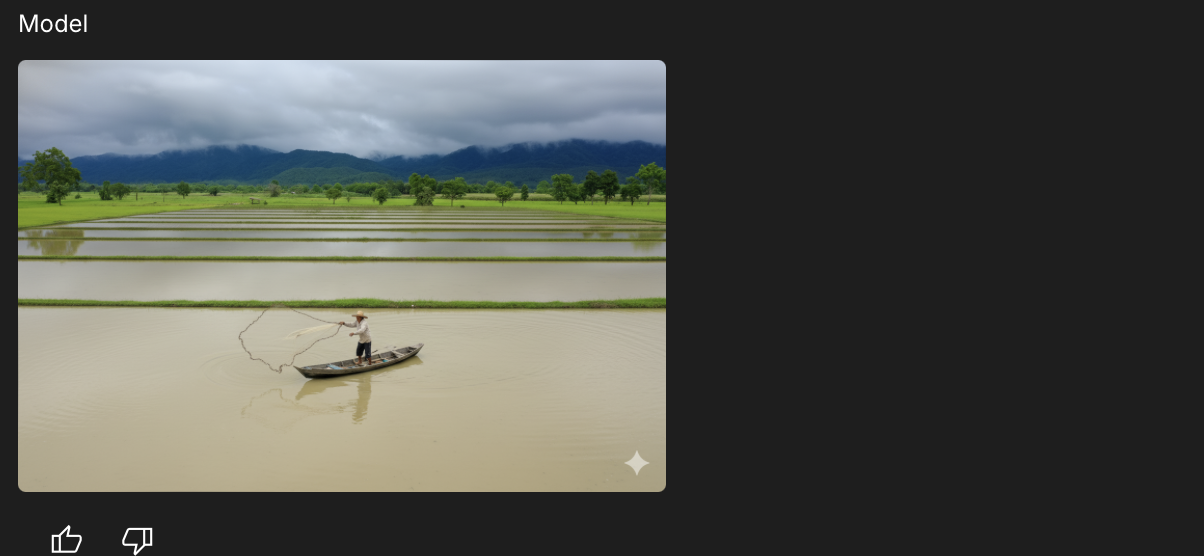

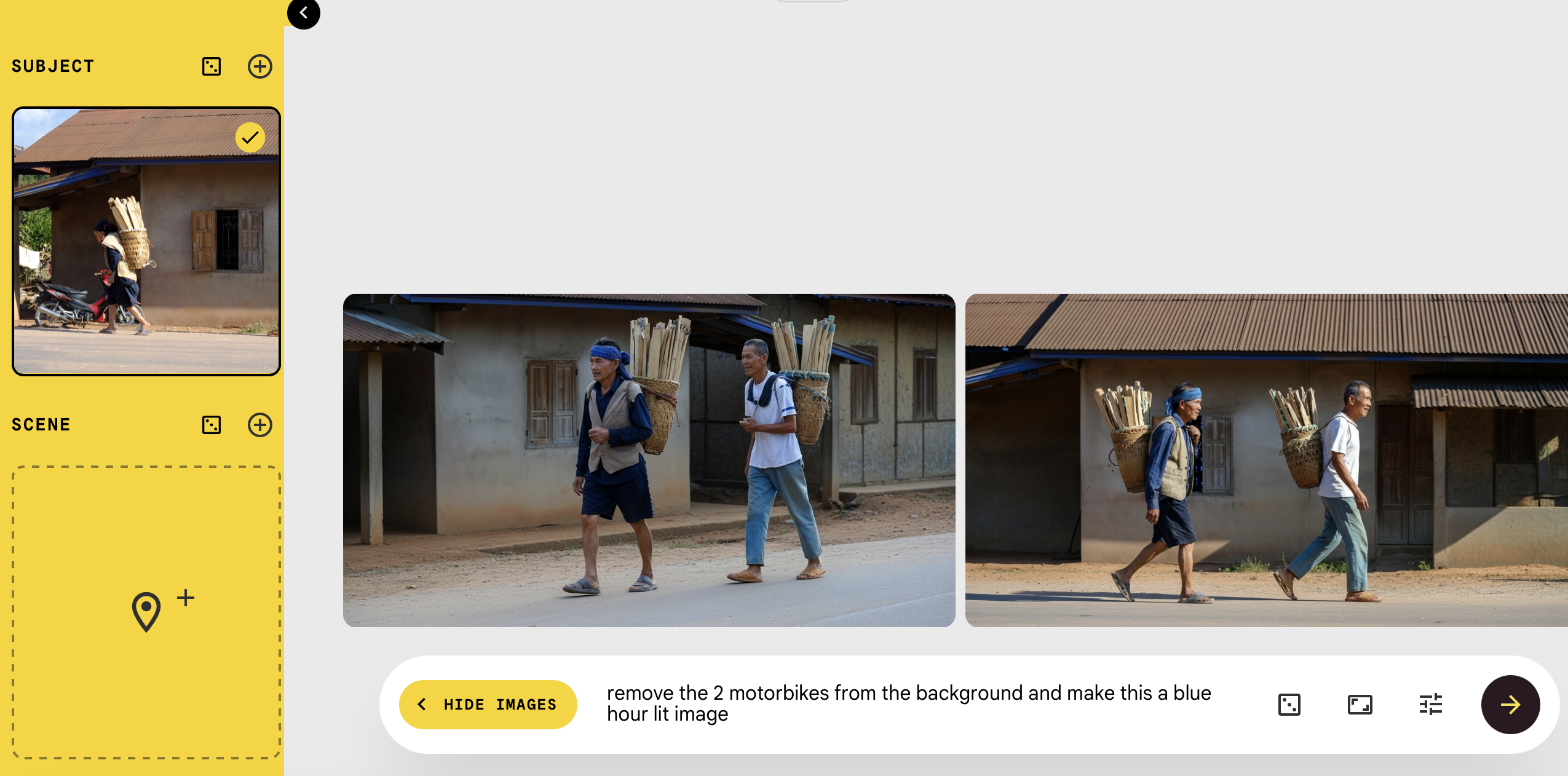

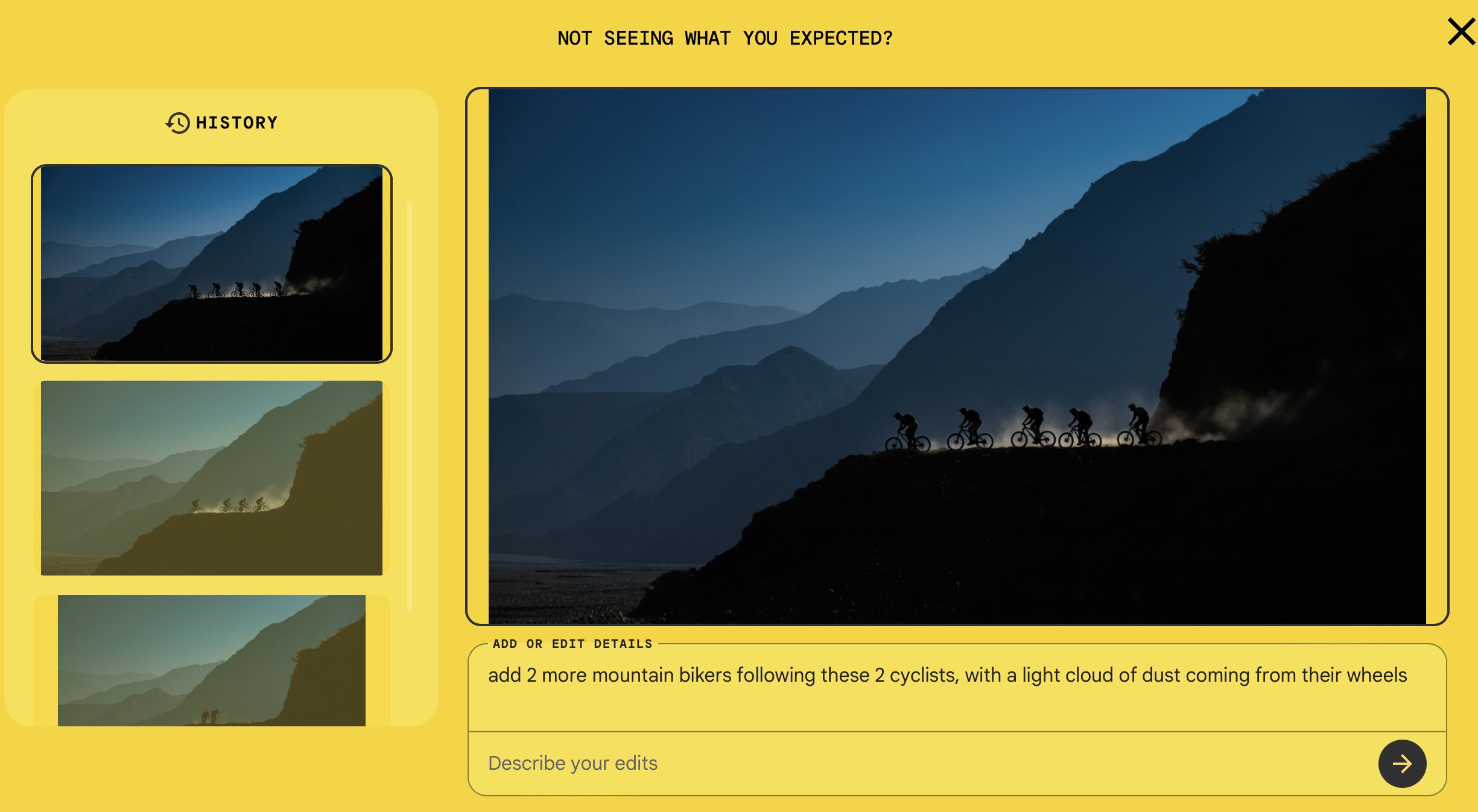
It’s easy to lose hours inside the surreal world of Nano Banana. It’s extremely capable, editing images and shifting perspectives in ways regular editors can’t, with technical tricks I wouldn’t attempt in conventional software.
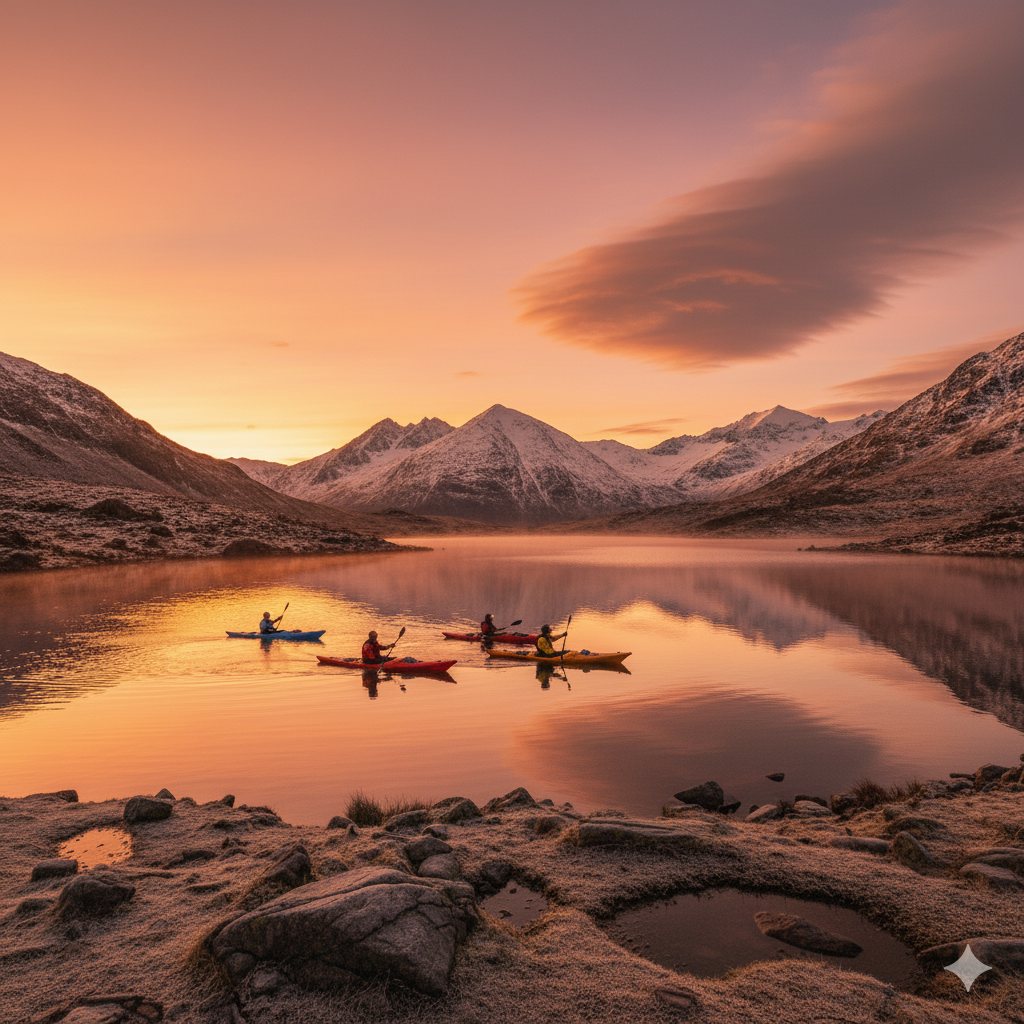
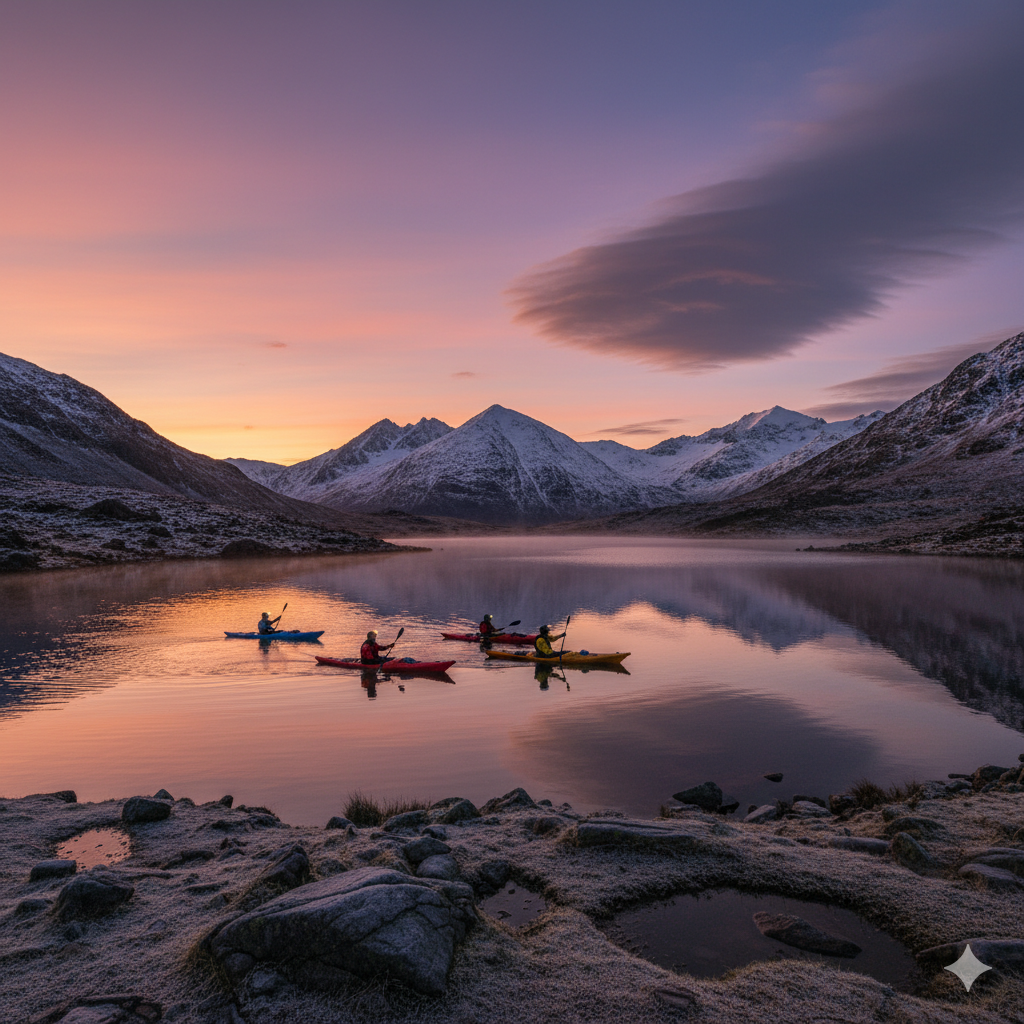
However, it's worth noting that output is currently limited to low resolution (around 1080p), which can be upscaled in other apps, though I haven’t had much success.
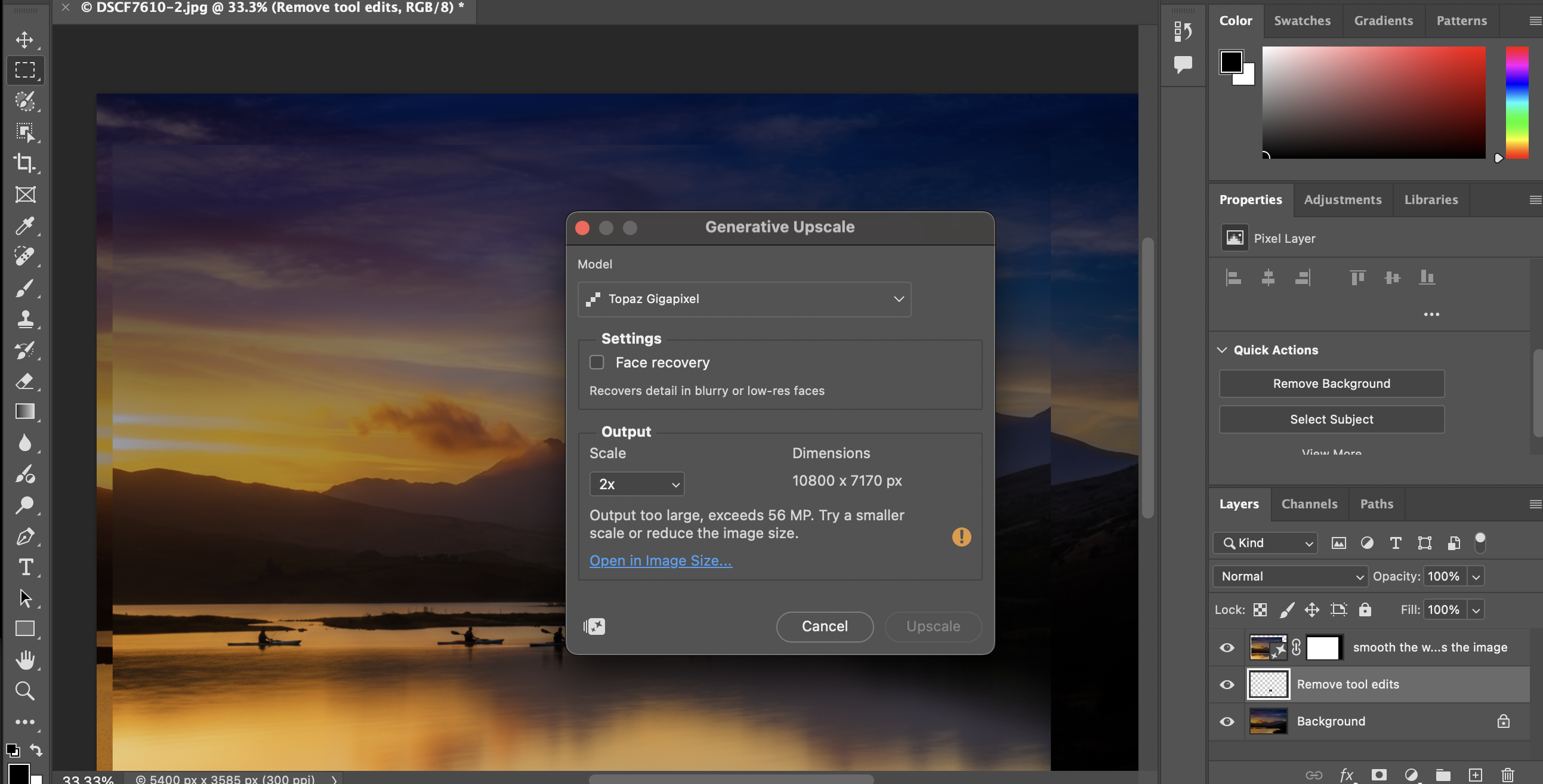
Another thing to keep in mind is that when used in Google AI Studio or the Gemini apps, a Gemini logo appears in the corner and – according to the terms – can’t be removed (even though it removes my watermark without asking). Photoshop and Whisk outputs don’t include the logo.
The other notable quirk of the platforms is they seem to export in different aspect ratios. Images are generated in a mix of 16:9 in some apps, and square in others, while others export similar to what was uploaded. It's a bit confusing.


What about Photoshop?
A recent update is the addition of Gemini 2.5 Flash Image/Nano Banana (and Black Forest Labs’ FLUX.1) to Photoshop.
Fundamentally, the move acknowledges that different AI models excel at different tasks.
As Adobe explains, users might turn to Google’s Gemini model for creating stylised graphic details, while Black Forest Labs’ FLUX.1 is positioned as a tool for generating elements that need to appear contextually accurate and in proper perspective within a scene.
At the same time, you also have Adobe’s Firefly, which the company says remains the option for users seeking 'commercially safe, production-ready results with lifelike quality.'
The idea is that Photoshop users would chose the appropriate AI tool for their editing job, all without leaving Photoshop. In use, you'll need to experiment with the different models depending on the result you're looking for.
To use it, you'll need to import your image into Photoshop and then select the Rectangular Marque Tool to highlight the parts of the image you'd like to make an AI-enhanced edit to. From there, you can select your 'model', aka the AI tool you'd like to use, and then add your prompt.

The results
Capability ★ ★ ★ ★
Frighteningly powerful. Once high-res output is native, this will be a real concern for photographers.
App performance ★ ★ ★ ★
Generally fast and effective, though it sometimes alters images in odd ways.
Output results ★ ★ ★ 1/2
Among the better low-resolution AI generators.
Value for money ★ ★ ★ 1/2 (for photographers)
A Nano Banana image generated in Photoshop costs around 10 tokens and delivers a single result. Through Google AI, you get more variations for the same cost, but you’ll need to move the file to another editor for further work.
The wrap-up
Nano Banana is probably the most versatile AI image-generation and manipulation tool available today, and for content creators and social-media producers, it has the potential to become invaluable.
However, because everything it generates is created from scratch rather than derived from existing images, the copyright implications of its use remain unclear.
For serious photographers, with ownership questions and its focus on full-image generation, it’s probably less compelling – for now.
Of course it's likely it will only get better from here – exciting for some, worrying for purists, but undeniably a game-changer.