

Antigravity A1 drone review: A totally unique flying experience
Consumer drone technology has remained relatively static in recent years, so it’s always interesting when something genuinely new appears, and the Antigravity A1 certainly fits that description.
Essentially, the A1 is a 360-degree drone built around Insta360’s imaging technology. But unlike more traditional drones, the A1 aims to make the flying experience more immersive, using a set of goggles that give the pilot an FPV-style view of the world in full 360 degrees.
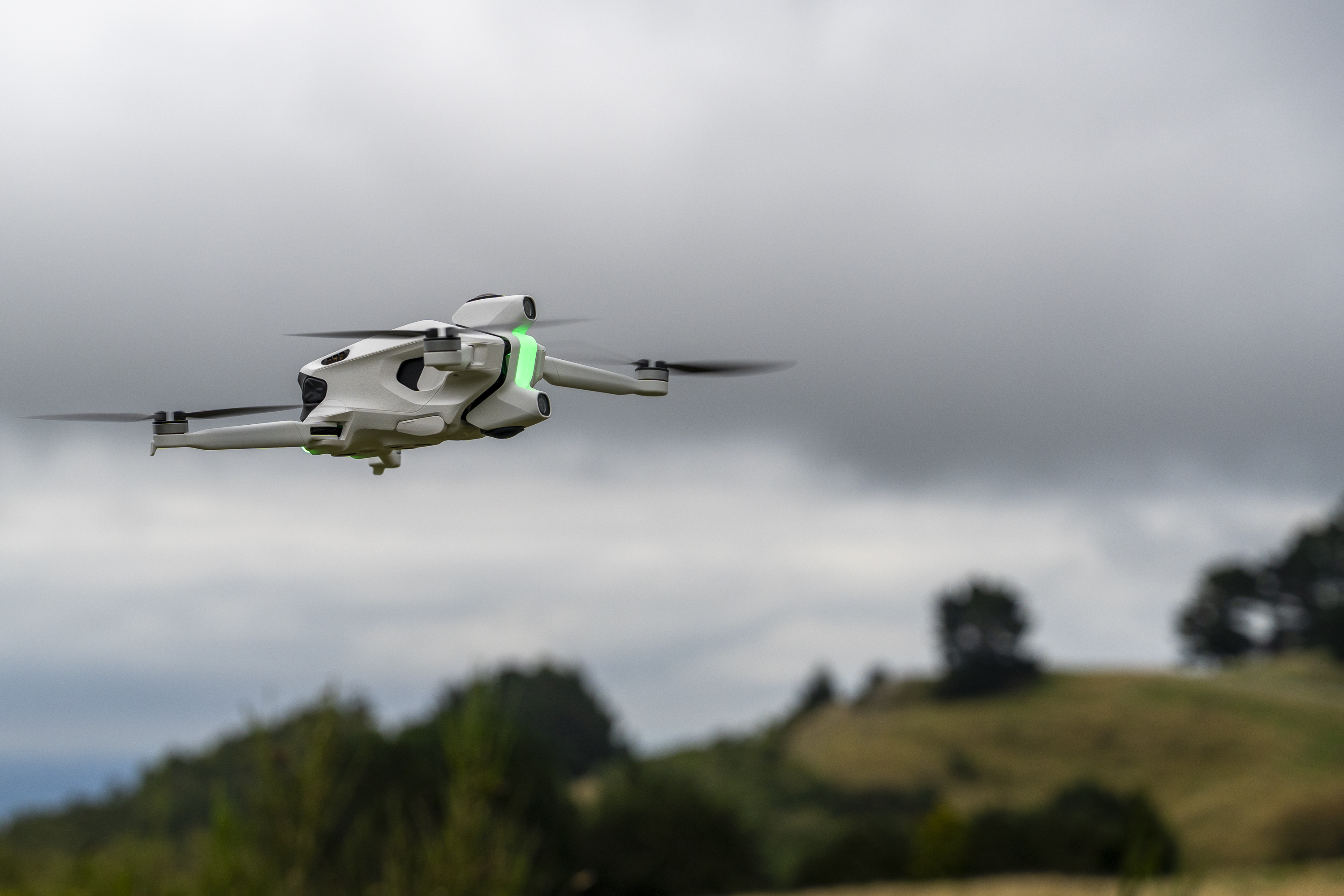
The result is a flight experience that feels engaging and intuitive, with precise controls that make it easy to focus on positioning the drone rather than constantly managing the camera.
Of course, flying is only part of the modern drone experience, so the real question is how well the system works for photography and video.
For this review, Antigravity supplied the Infinity bundle, which includes the drone, goggles, three controllers, a custom carry bag and a range of accessories, including a charging dock. The bundle sells for around AU$2,500 depending on the retailer.
With that out of the way, we took it out to see what it could do.
The build
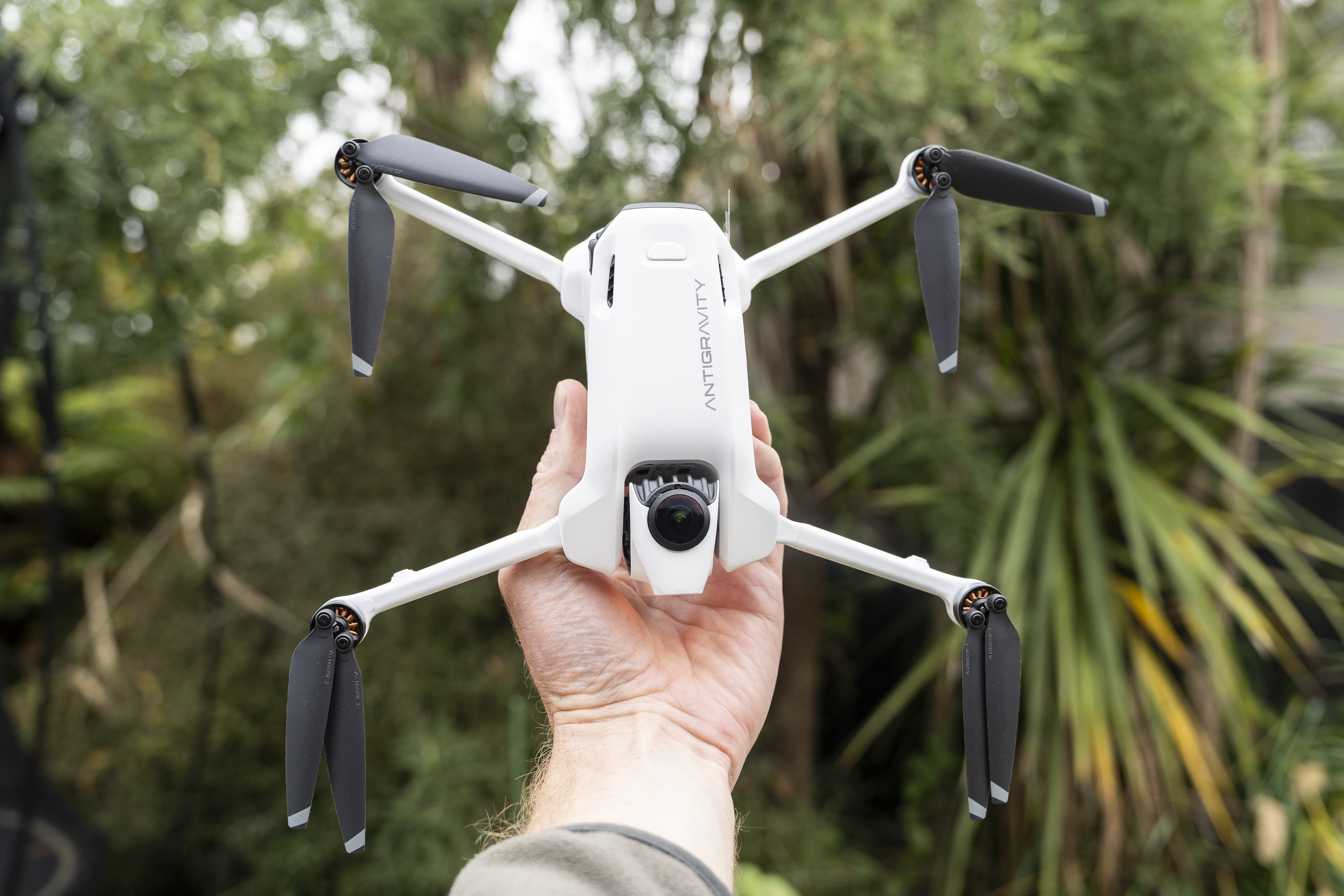
Out of the box, the Antigravity A1 is compact, roughly comparable in size to a DJI Air 2S, and easy to pack away for travel. At 249g it sits under that magic 250g rating too.
The construction feels solid, with a mix of lightweight plastics and metal parts that give it a reassuring balance between durability and portability.
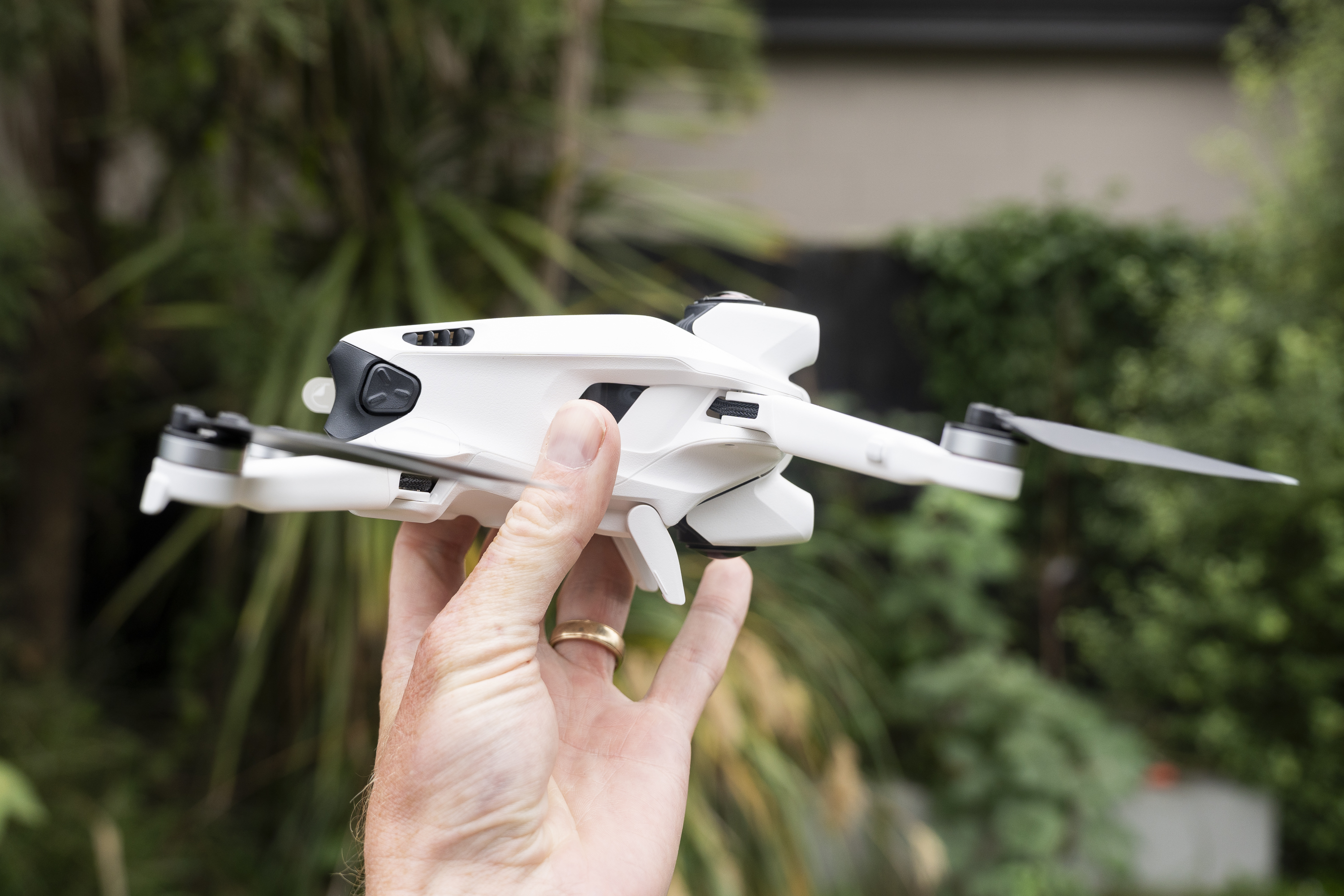
One of the standout features (and one camera manufacturers could really take a leaf from!) is the 20GB of onboard storage the A1 comes with.
It meant I never needed to use a MicroSD card, although there is a slot for one if you want it, and if you do shoot in 8K you'll definitely need one - At 8K30, you’re looking at about 1.3GB/min.
It’s also fast to transfer files from the drone to either your mobile or desktop too.
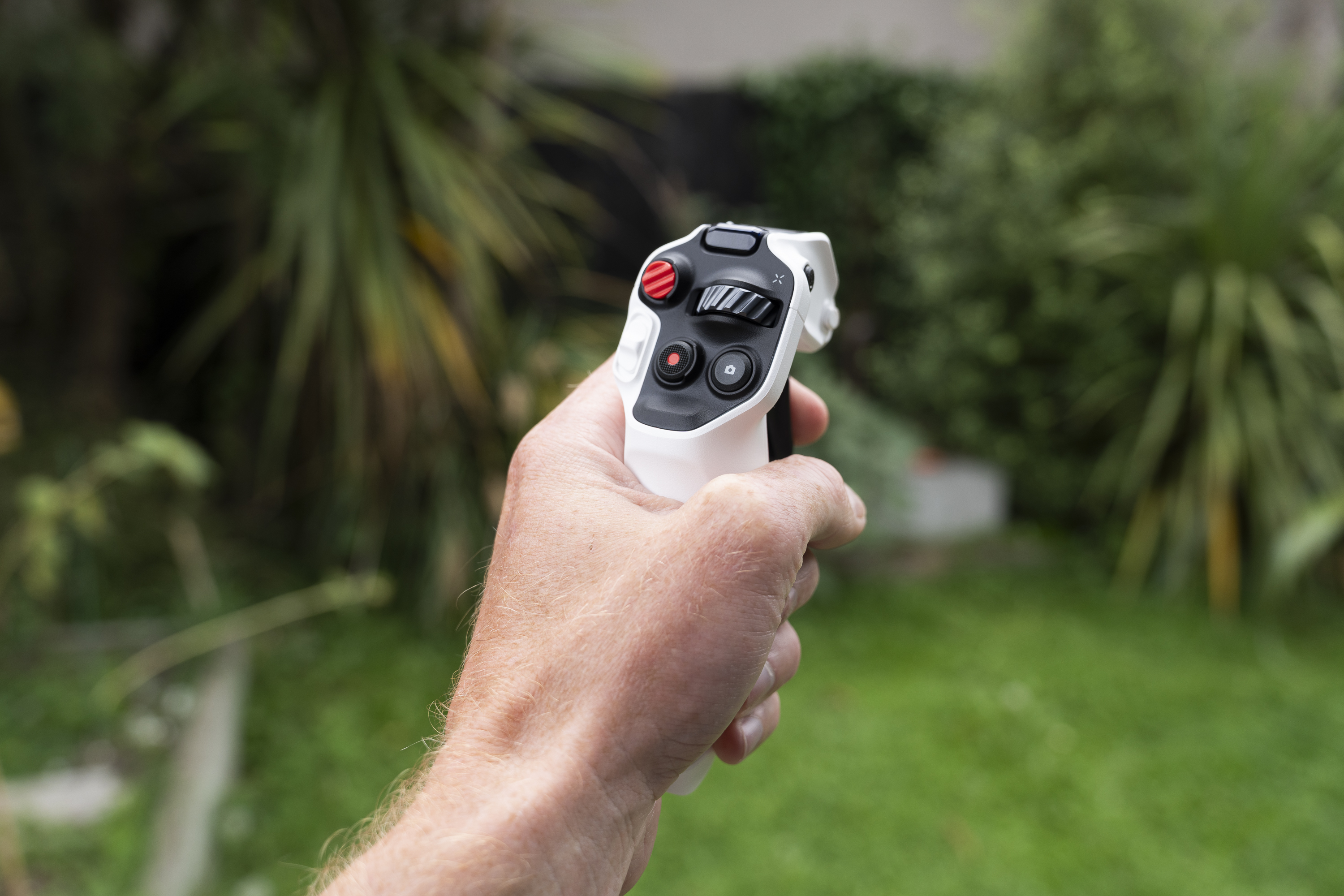
The accessories included in the Infinity bundle are also well thought out. The goggles are comfortable to wear thanks to a well-designed strap, and the controllers feel responsive and clearly laid out, making the drone approachable even for first-time users.
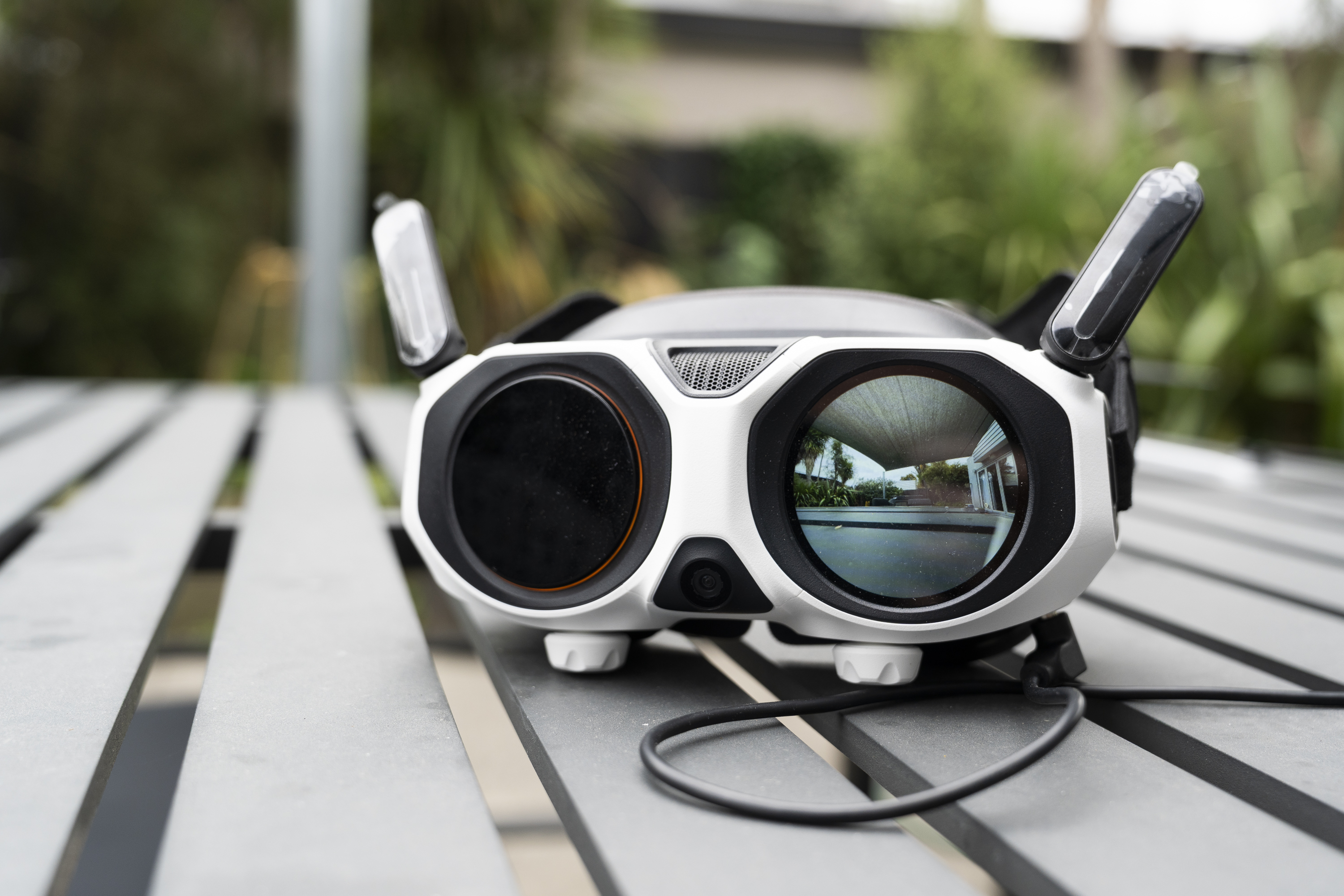
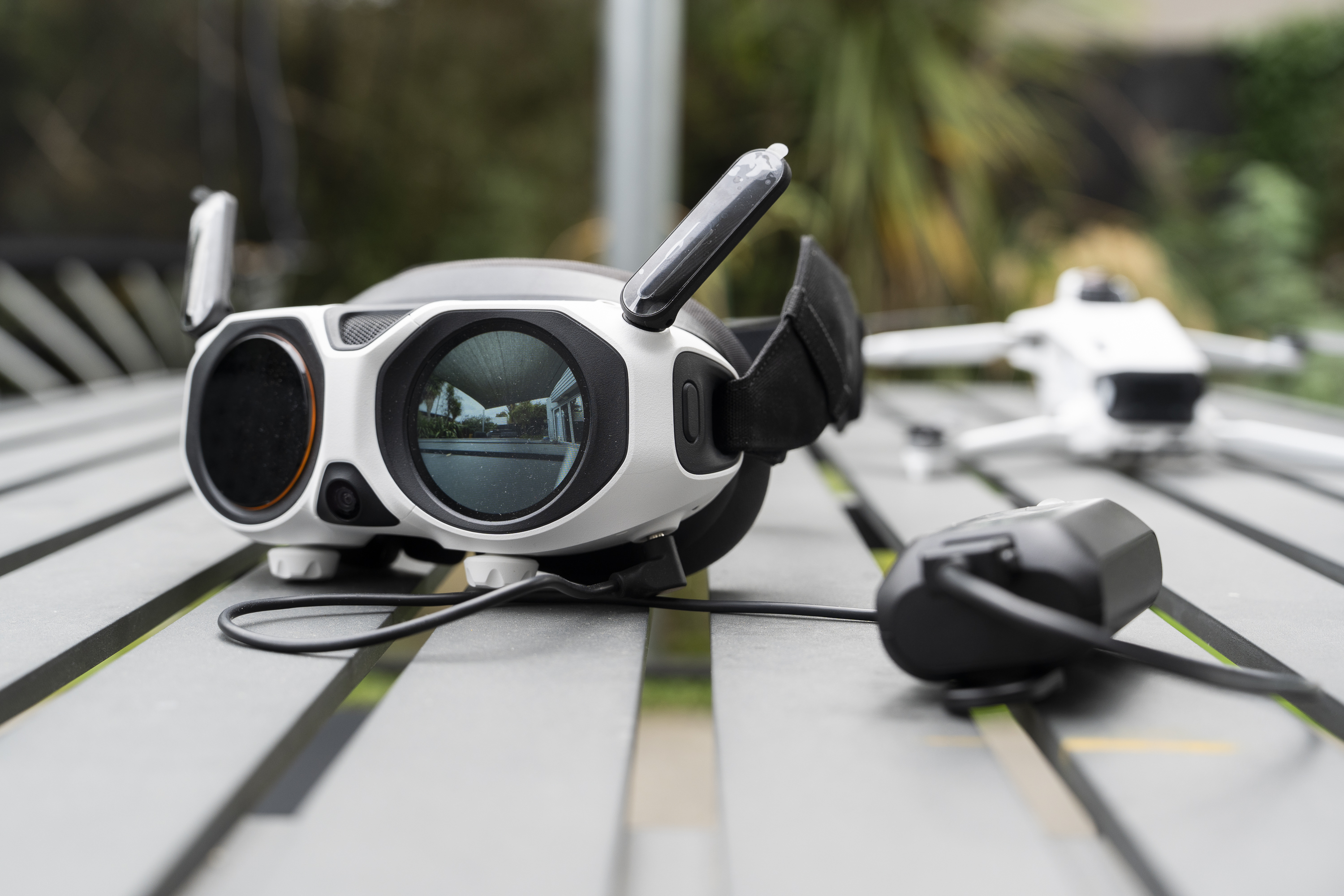
At the same time, I must admit that the goggles aren’t exactly subtle. Bright lights blink, the startup animation looks faintly psychedelic, and a fairly chunky battery pack dangles from a cable that’s meant to sit around your neck.
It’s a very high-tech aesthetic that’s undeniably distinctive, although you may feel like you’ve stepped out of a sci-fi film when you fire it all up. Prepare yourself for a few odd looks.
Setup of the A1 is a pretty long process, but it is worth persevering with. You’ll need to download the Antigravity app, pair it, and then go through the (inevitable) updating process.
With that out of the way, there’s a series of interactive tutorials which are well laid out and logical, before you can finally hit the skies.
Image quality
Before looking at image quality, it’s important to understand that the A1 doesn’t use a traditional mechanical gimbal like most camera drones.
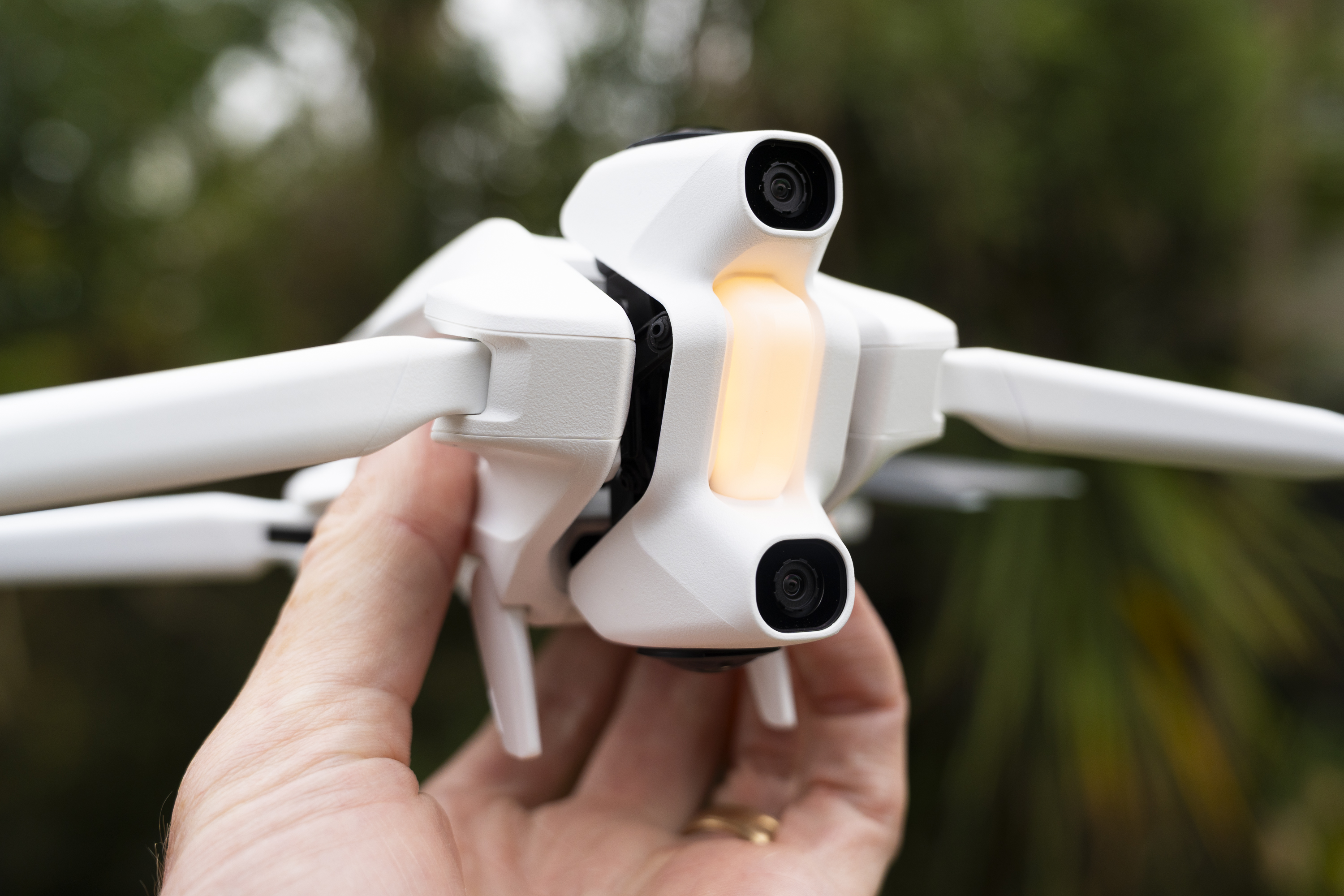
Instead, it relies on two wide-angle lenses, mounted on the top and bottom of the body, to capture a full 360-degree view.
Stabilisation is handled digitally, with the footage stitched and smoothed in software rather than by a moving camera mount. This allows you to choose your framing after the flight, selecting any angle from the spherical recording.

Because of this design, image quality needs to be judged differently from a conventional drone. The A1 records the entire scene at once, so the available resolution is spread across the whole sphere, and any normal video frame has to be cropped from that larger image.
The advantage is flexibility, but the trade-off is that the final picture is not as sharp as footage shot natively in 4K from a forward-facing camera.
In good light the results are pleasing, with natural colour and decent dynamic range, and the high-resolution photo mode holds plenty of detail when viewed as a full 360 image.
As you crop tighter, though, sharpness falls away more quickly than it would on a gimbal-equipped drone, and low-light performance is closer to an action camera than a larger aerial system.
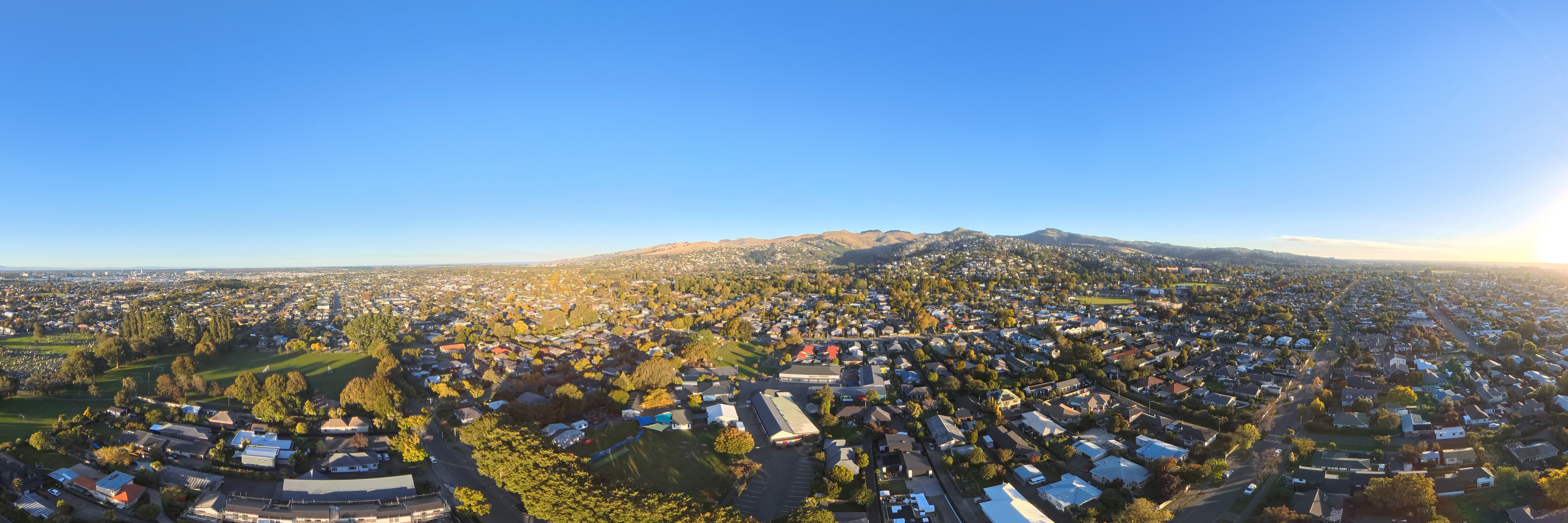
One of the features I really appreciated in the Antigravity software was the wealth of simplified editing options for your footage available within the device.
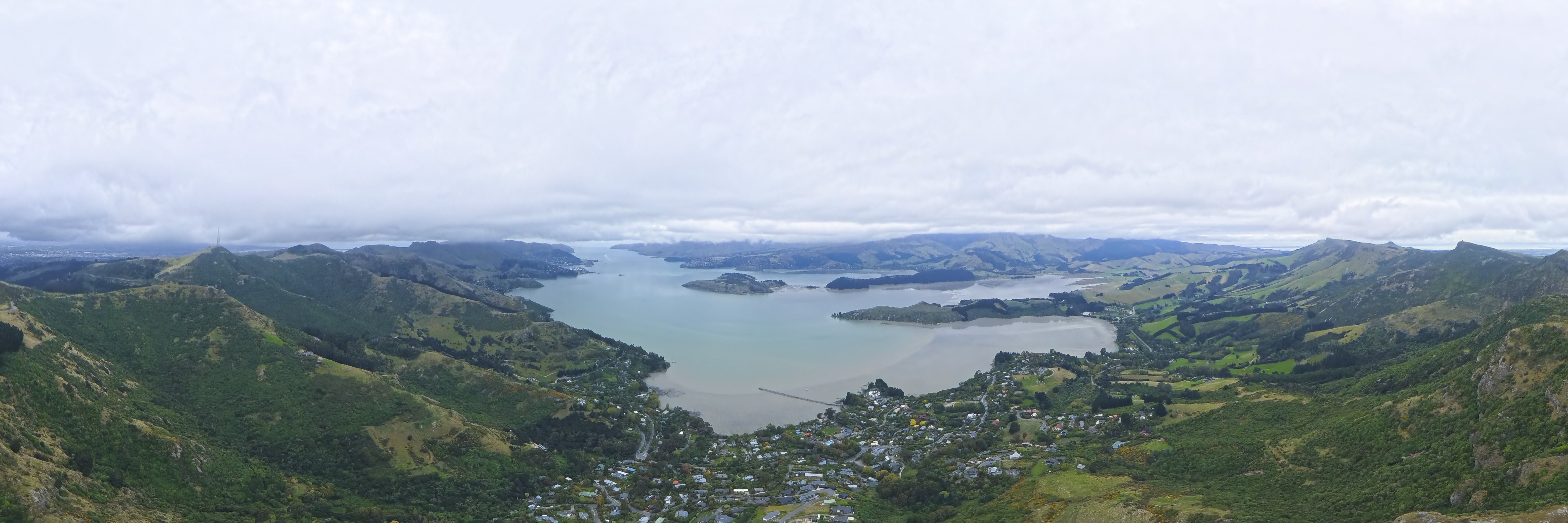
For photographers who are relatively new to the 360 degree footage world, it’s easy to quickly export from the drone and convert your footage to 360 degree wraparound, panorama or tiny world, or even a short video with included music, and then share away.
It’s a great feature, and meant my editing workflow remained completely mobile.
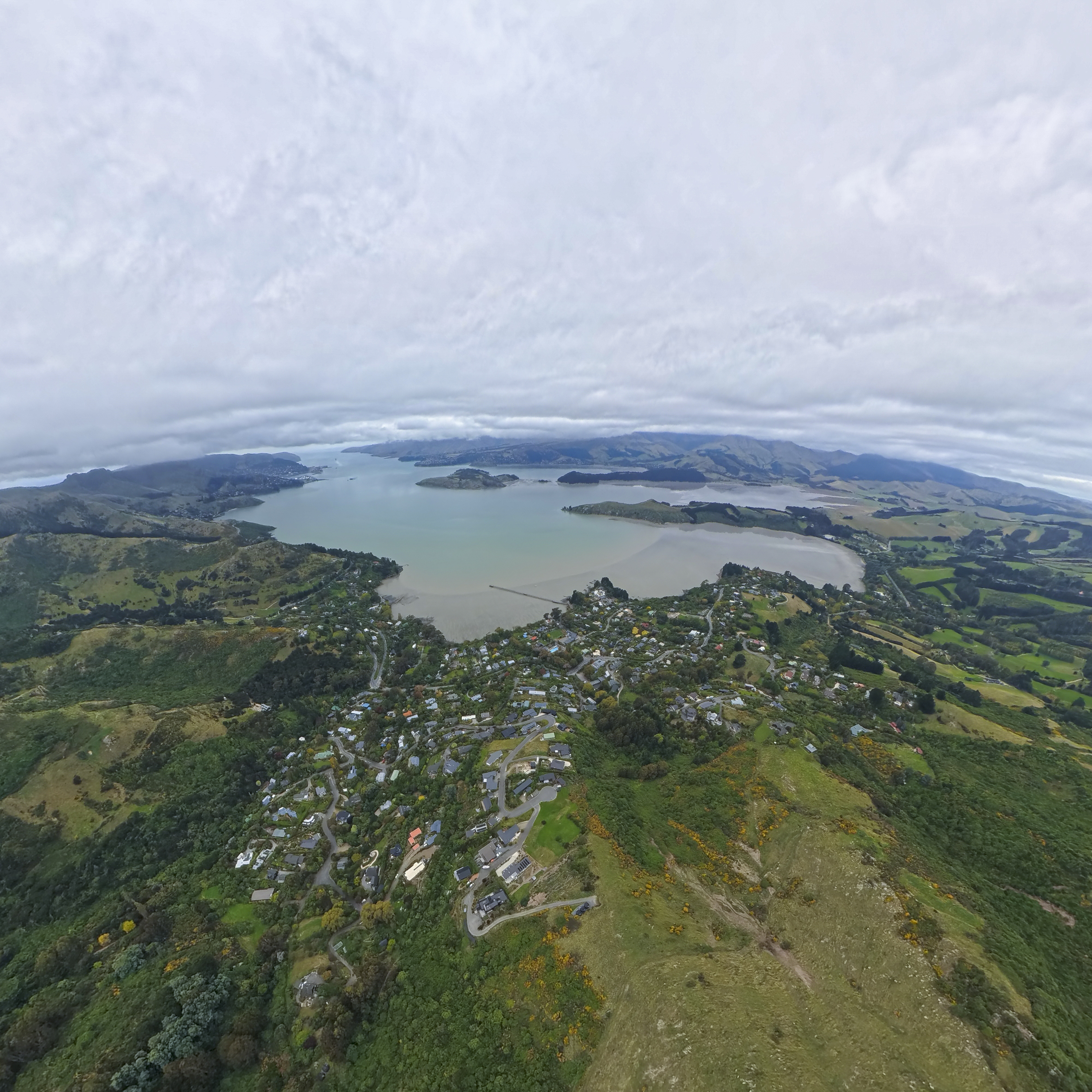
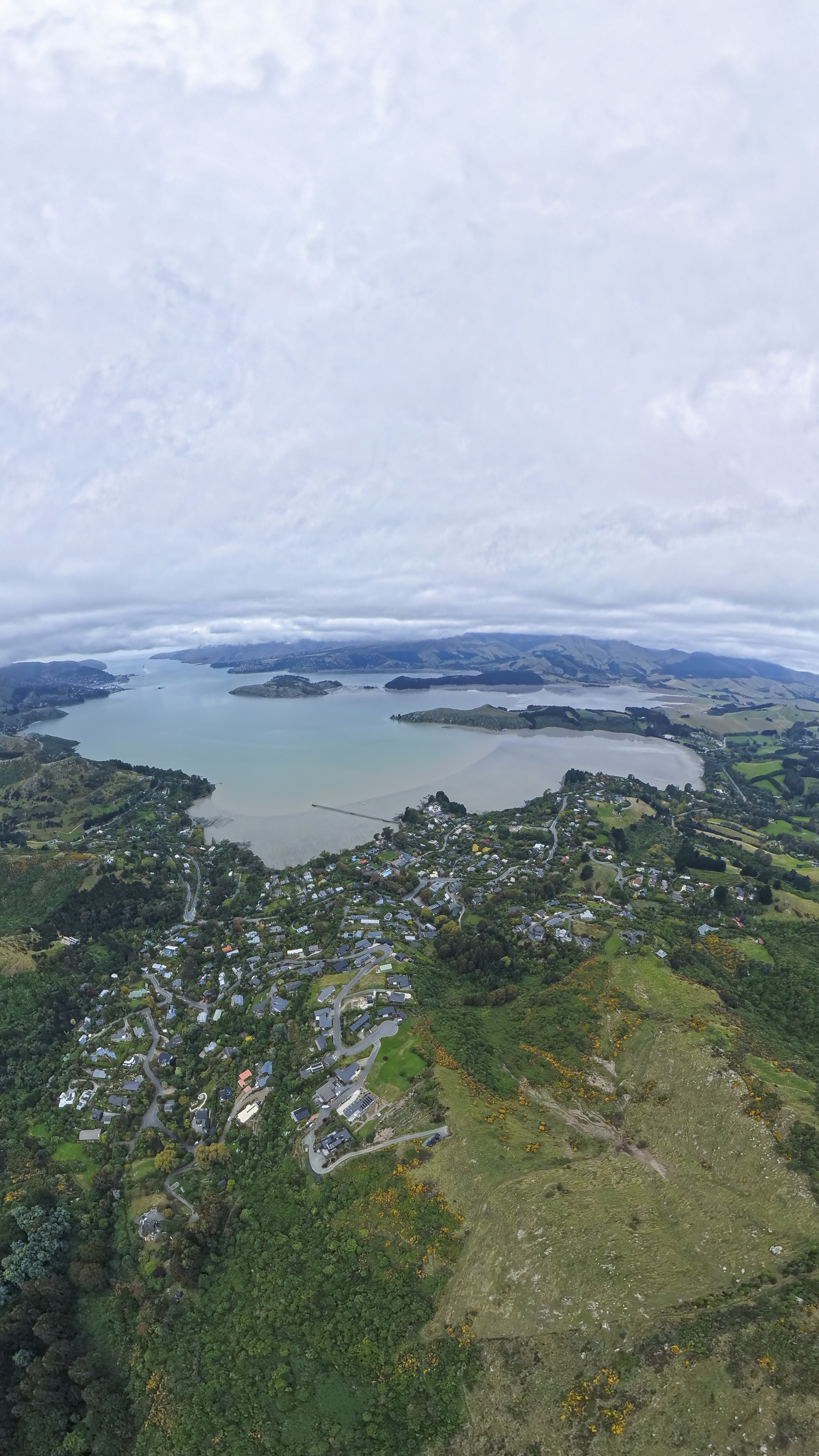
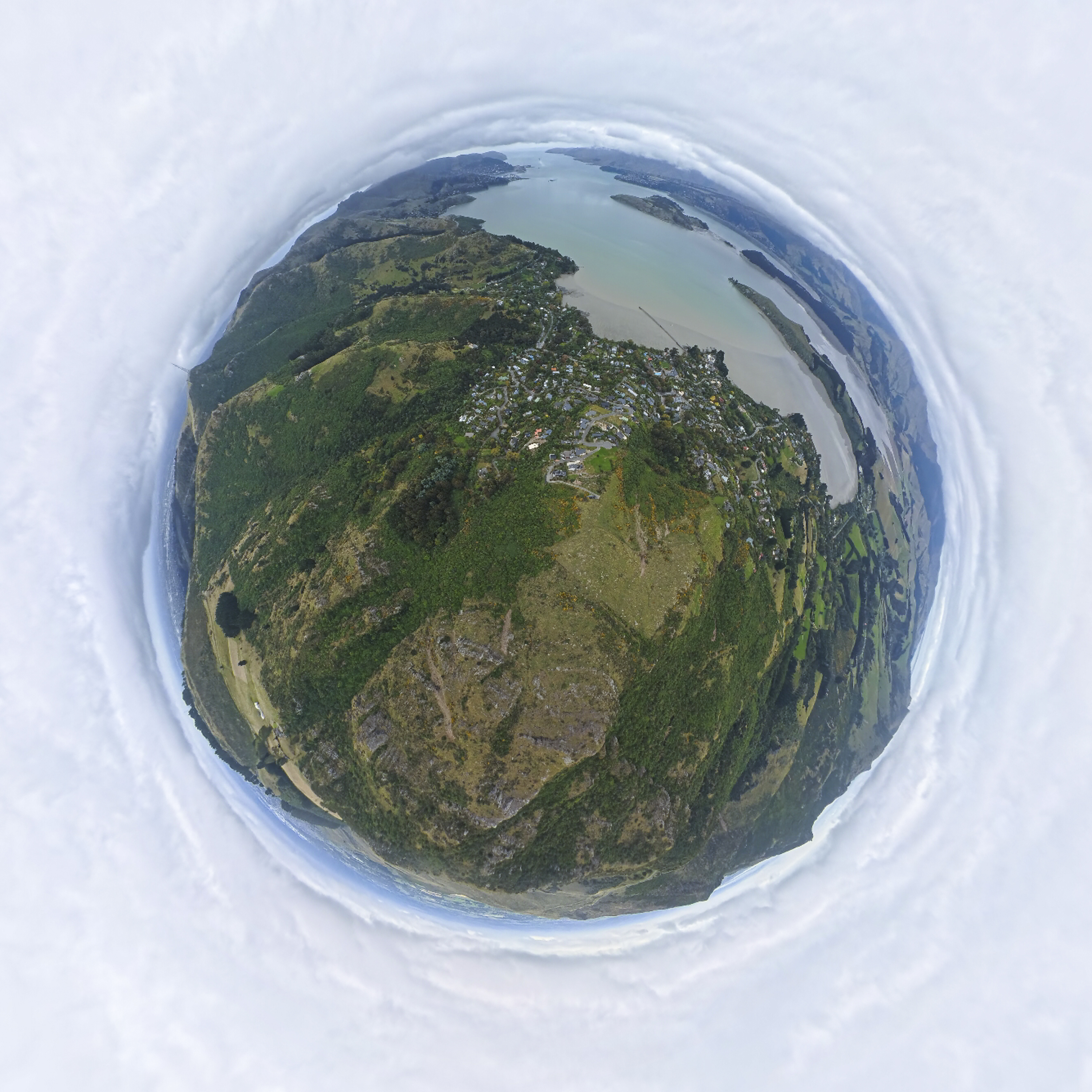
Overall, the A1 produces good results for a 360-first design, but its strength lies in versatility rather than outright image quality. If maximum detail in ‘pure’ photography is your priority, a traditional gimbal-based drone still has the edge.
Video
The A1’s video features are built around the same 360-degree capture approach, and this gives it a very different shooting workflow to what you might be used to.
It can record spherical video at up to 8K resolution, with lower resolutions available for higher frame rates and slow motion.
Rather than aiming the camera while flying, the drone records everything around it, and the final framing is chosen later in the app or editing software.
This makes it easy to create smooth pans, tilts and tracking shots after the fact, and it also means a single flight can produce several different angles.
Automated shooting modes and subject tracking help produce polished clips with minimal effort, although getting the best results does require some time in post-production, which is done via Insta360s software.
As with still images, the final quality depends on how much you crop into the original 360 footage, but the ability to decide on the shot later is a big part of what makes the A1 different from anything else in its class.
In flight
I enjoyed the experience of flying the Antigravity A1. The goggles make the whole process far more immersive than using a traditional drone controller and phone screen, and the controller itself plays a big part in that.
Rather than the usual twin-stick layout, the A1’s controller is designed to work more like an FPV system, with movement that feels more direct and connected to what you’re seeing in the headset.
Steering the drone becomes less about carefully nudging sticks while watching a screen, and more about guiding it through the air in a way that feels natural once you get used to the layout.
You don’t have to use any buttons to control the A1 (although there are a few physical toggles for turning and elevation). Instead, flying requires you to simply point in a direction, pull the trigger, and let the drone follow your lead.
After a short time the controls start to make sense, and flying feels smooth and precise, especially when making gentle turns or lining up shots.
Where I did run into some minor frustration was when I wanted to look at the drone directly, for example when lining up a landing or judging how close I was to trees or other obstacles.
In those situations you have to lift the headset to see the drone with your own eyes, which breaks the flow a bit and can feel awkward at first.
I found this happened most often while I was still getting used to the controls and the different flying style, so it’s probably something that becomes less of an issue with experience.
Even so, it’s worth keeping in mind if you’re coming from a more conventional drone setup.
When it comes to flight time, a standard pack will give you about 24 minutes, while there’s also an upgraded pack that stretches it out to roughly 39 minutes under ideal conditions – pretty impressive.
In practice, I found the battery life long enough for most flights, particularly because the 360 capture means you don’t need to keep repositioning the drone to get different angles.
That said, if you plan to shoot a lot of footage in one session, having spare batteries on hand still makes sense, as the immersive flying style tends to encourage longer flights than you might expect.

The wrap-up
The Antigravity A1 feels like one of the more genuinely different consumer drones I’ve used in a long time. Rather than simply refining the familiar formula, it takes a new approach, combining 360-degree capture with an immersive FPV-style flying experience that changes the way you think about both shooting and piloting.
That approach does come with compromises.
Image quality, while good, doesn’t quite match what you can get from a traditional gimbal-based drone when you want maximum detail, and the goggles-and-battery setup won’t appeal to everyone, especially if you prefer something quick and discreet to pull out of a bag.
The workflow is also a little different, with more emphasis on reframing and editing after the flight rather than getting everything perfect in the air.
At the same time, those differences do make the A1 interesting. The ability to capture everything at once, decide on your framing later, and fly using a fully immersive view makes it feel closer to a creative tool than just another camera drone. I found myself shooting in ways I normally wouldn’t, simply because the system encourages experimentation.
Personally, I enjoyed using the A1 a lot more than I expected. It’s not the drone I’d reach for if I wanted the absolute best stills or the cleanest 4K video, but it is one of the most engaging drones I’ve flown, and easily one of the most fun.
For photographers and videographers who want something different, and who are willing to trade a little technical perfection for flexibility and immersion, the Antigravity A1 makes a strong case.
The results
Build quality ★★★★
Ease of use ★★★★
Flight Stability ★★★★
Camera/Image Quality ★★★
Value for Money ★★★ 1/2
