

How Aiarty enhances camera photos: Less noise, sharper details, and better clarity
Even with a capable camera and a good lens, not every photograph comes out as sharp or clean as expected. A bird photographed at the end of a 300mm lens, a street scene captured at dusk, or a portrait taken indoors can all suffer from noise, soft details or limited resolution.
Aiarty Image Enhancer is an AI-powered photo enhancement tool built to help photographers get more from their camera files.
It combines noise reduction, sharpening, detail enhancement, and upscaling to improve image quality across different cameras and shooting conditions, from high-ISO shots and tightly cropped telephoto images to photos that need higher resolution for larger displays or prints.
Beyond core enhancement, it also offers color adjustment tools, HDR enhancement, face restoration, object erasing, and quick editing options for further refining photos. With Adobe Lightroom Classic integration, photographers can enhance selected images as part of their existing editing workflow.
Limited-Time Exclusive Offer for Australian Photography Readers
Photographers can get the Aiarty Image Enhancer Lifetime License for $79, 49% off the regular price of $155.
- One-time payment: No recurring subscription for the lifetime license.
- Flexible device options: Choose a license for 3 Windows PCs, 3 Macs, or 1 Windows PC and 1 Mac, depending on your setup.
- Lifetime free upgrades and a 30-day money-back guarantee.
Every camera and shooting situation presents different image quality challenges. Explore Aiarty's camera photo enhancement solutions for photographers for practical ways to improve your camera photos and get more out of the images you've captured.
1. Long Telephoto Shots: Recover and Enhance Detail After Cropping
Micro Four Thirds (M4/3) and APS-C cameras are popular for wildlife and bird photography because they offer a practical balance of reach, size, and weight.
Bridge cameras are another convenient option for photographing distant subjects. However, even with a 300mm or 350mm lens, a bird or animal may occupy only a small part of the frame.
Cropping helps bring the subject closer, but the resulting image may lack fine detail, with high ISO noise and subtle softness becoming more noticeable.
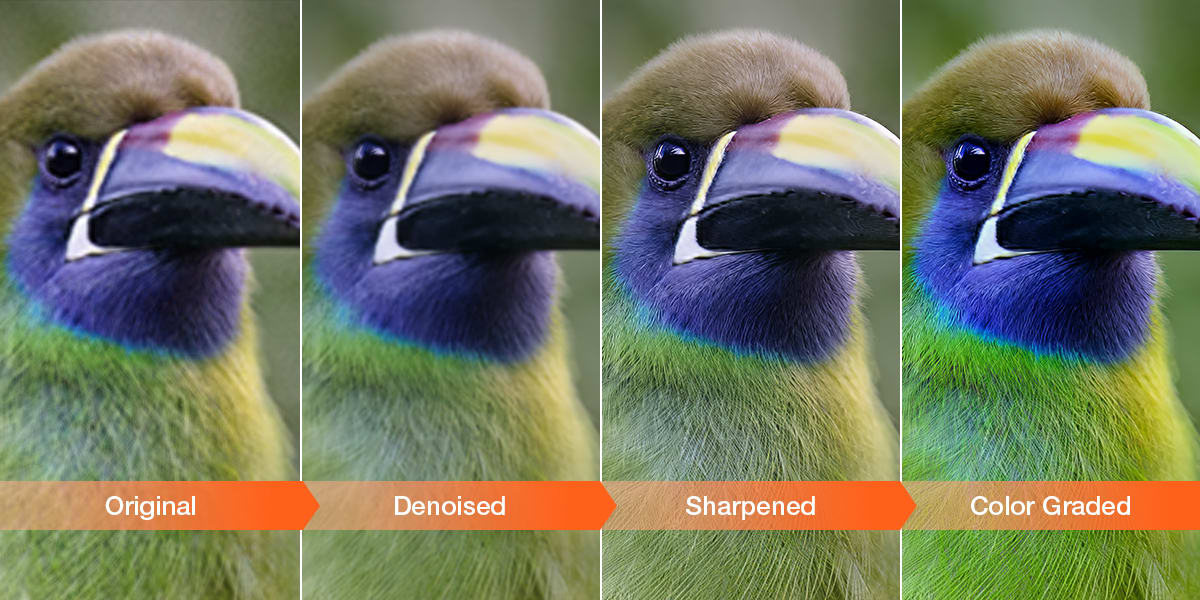
Aiarty Image Enhancer helps reduce noise, refine subtle softness, and bring out visible details in feathers, fur, and other textures. For heavily cropped wildlife photos,
AI upscaling does more than enlarge the image: it also enhances visible details as resolution increases. You can choose 2×, 4×, or 8× upscaling, or set a custom output resolution for sharing, larger displays, or prints.
2. Small Sensors and High ISO: Reduce Noise, Preserve Texture
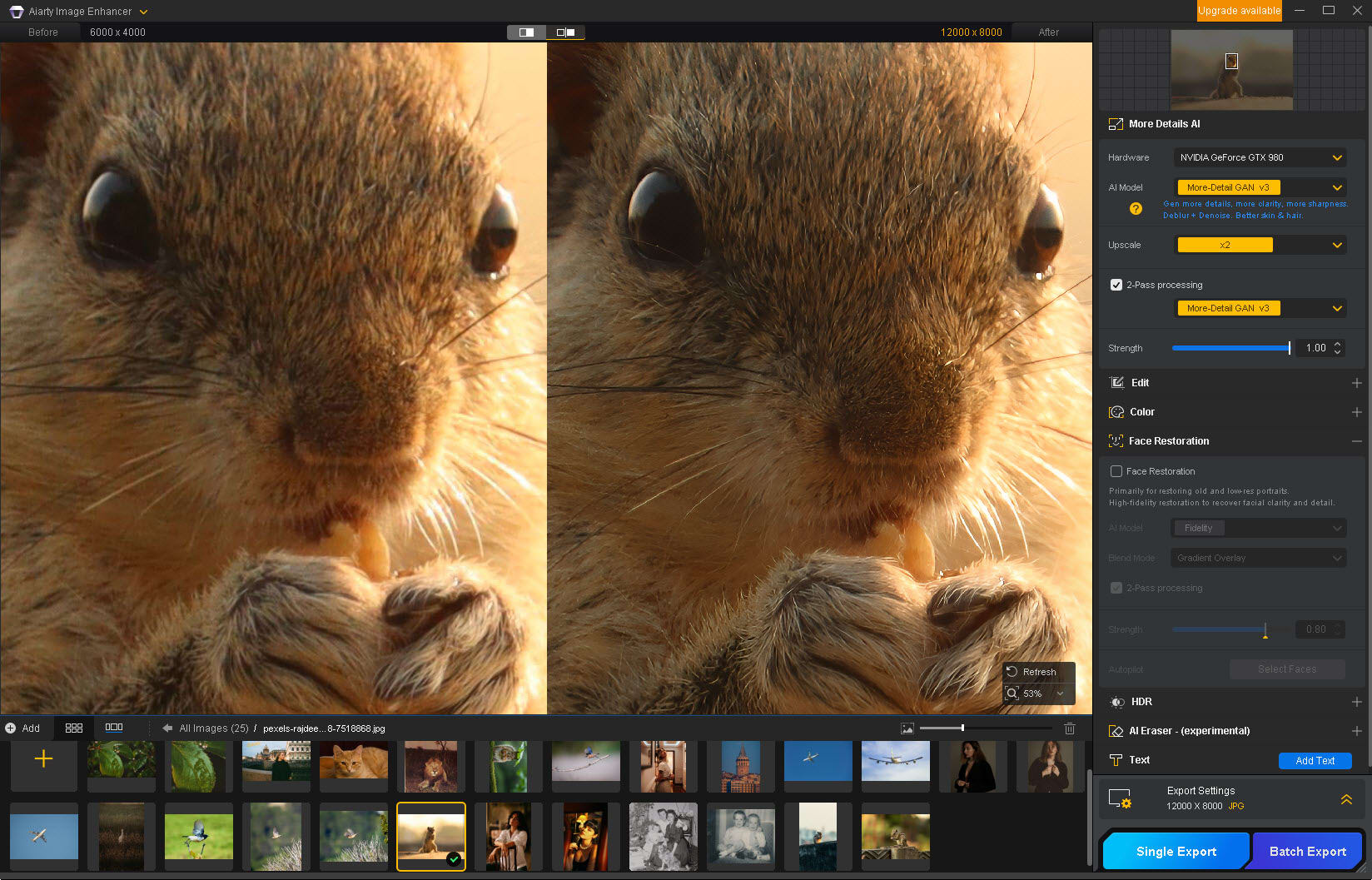
Small-sensor cameras, compact cameras and smartphones can struggle in low light, while even full-frame cameras and entry-level DSLRs can produce visible noise when shooting at high ISO or brightening underexposed images.
Indoor portraits, evening street scenes, pets and travel photography are common examples. Using a slower shutter speed can help keep ISO down, but it also increases the risk of camera shake or subject movement.
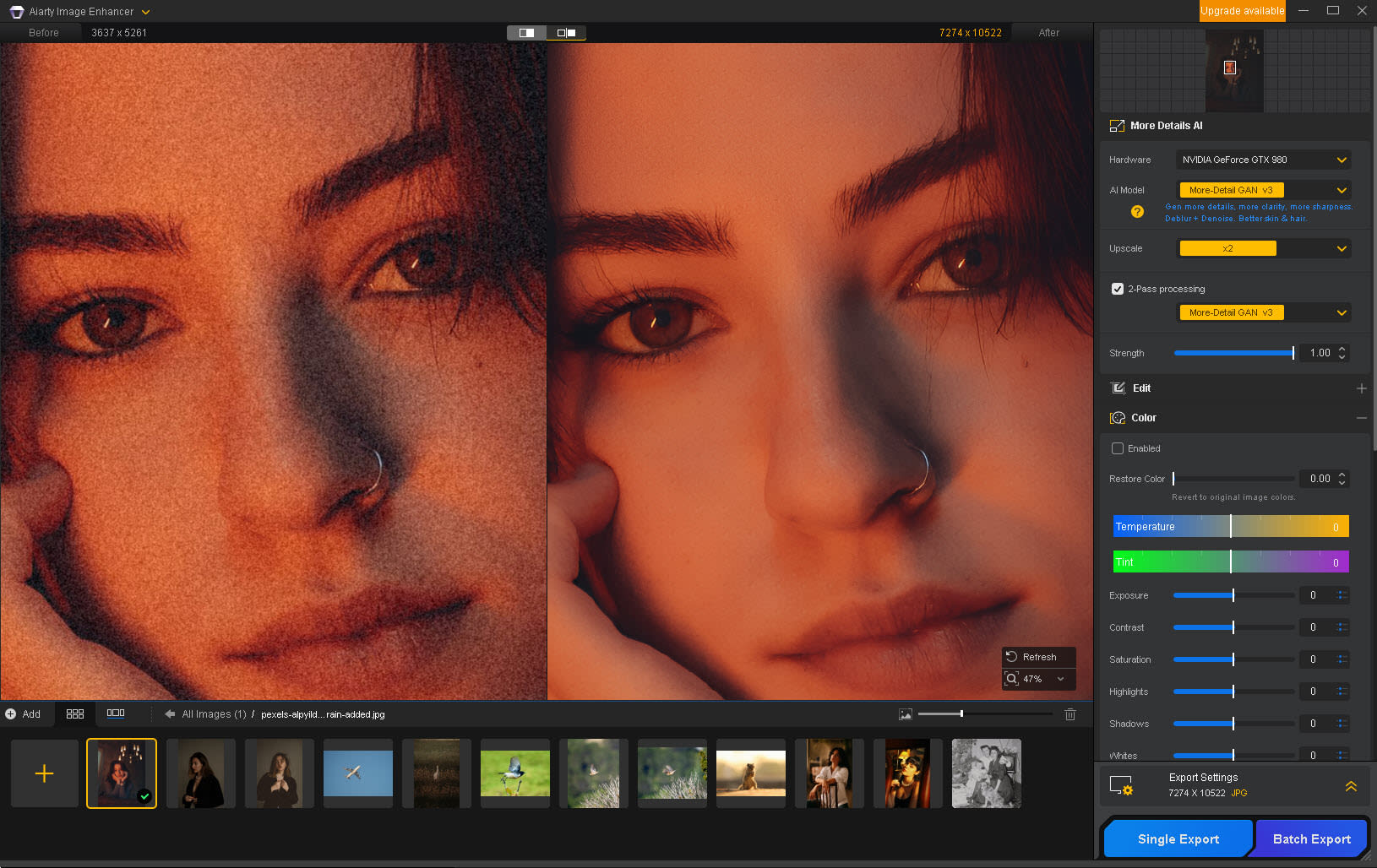
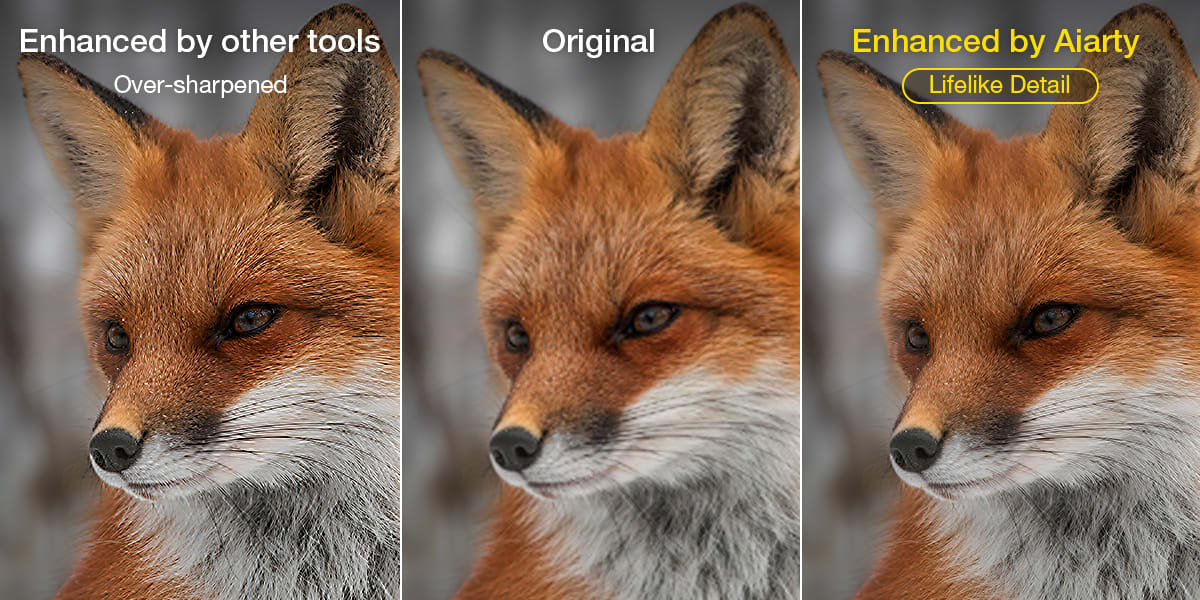
Aiarty Image Enhancer uses AI denoising designed to distinguish image noise from meaningful details in camera photos, helping reduce unwanted grain without unnecessarily smoothing fine textures.
Subtle details can retain their natural character, avoiding the smeared, plastic or waxy look that can result from overly aggressive noise reduction.
Adjustable enhancement strength gives photographers control over the final appearance, whether they prefer to retain some natural grain for a more authentic photographic look or produce a cleaner, smoother image.
3. Slightly Soft Photos: Sharpen Wildlife, Sports, and Event Photography
Wildlife, sports and live performances often require photographers to capture fast-moving subjects. Even when a photo is acceptably focused, fine edges and textures may look slightly soft.
Feathers, fur, clothing and other small details can lose definition, making the image appear less crisp than expected.
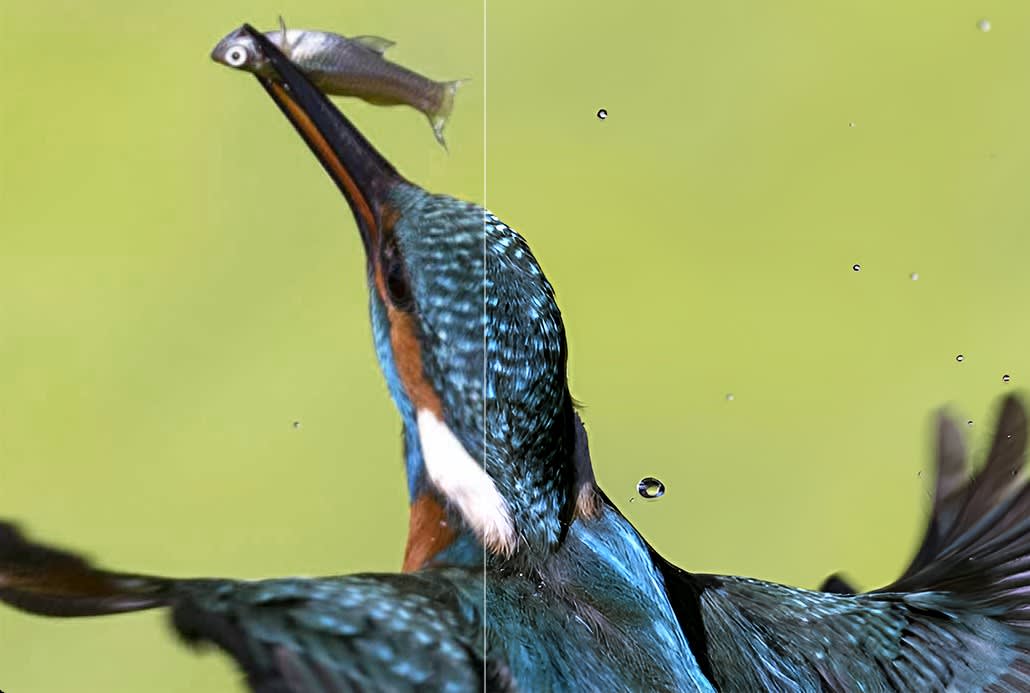
Aiarty Image Enhancer combines AI deblurring and sharpening to help refine mild softness and make edges and textures appear clearer.
Rather than simply increasing contrast along every edge, its AI enhancement helps bring out visible detail in photos that need a little extra clarity.
This can be useful when reviewing a wildlife sequence, sports session or stage performance and selecting images for sharing or printing.
4. Older and Low-Resolution Photos: Upscale for Larger Displays and Prints
Older digital cameras, entry-level compact cameras and early smartphone cameras often produce smaller image files with limited resolution, making it harder to display or print photos at larger sizes without visible softness. Simply enlarging these files in a standard image editor often makes existing imperfections more obvious.
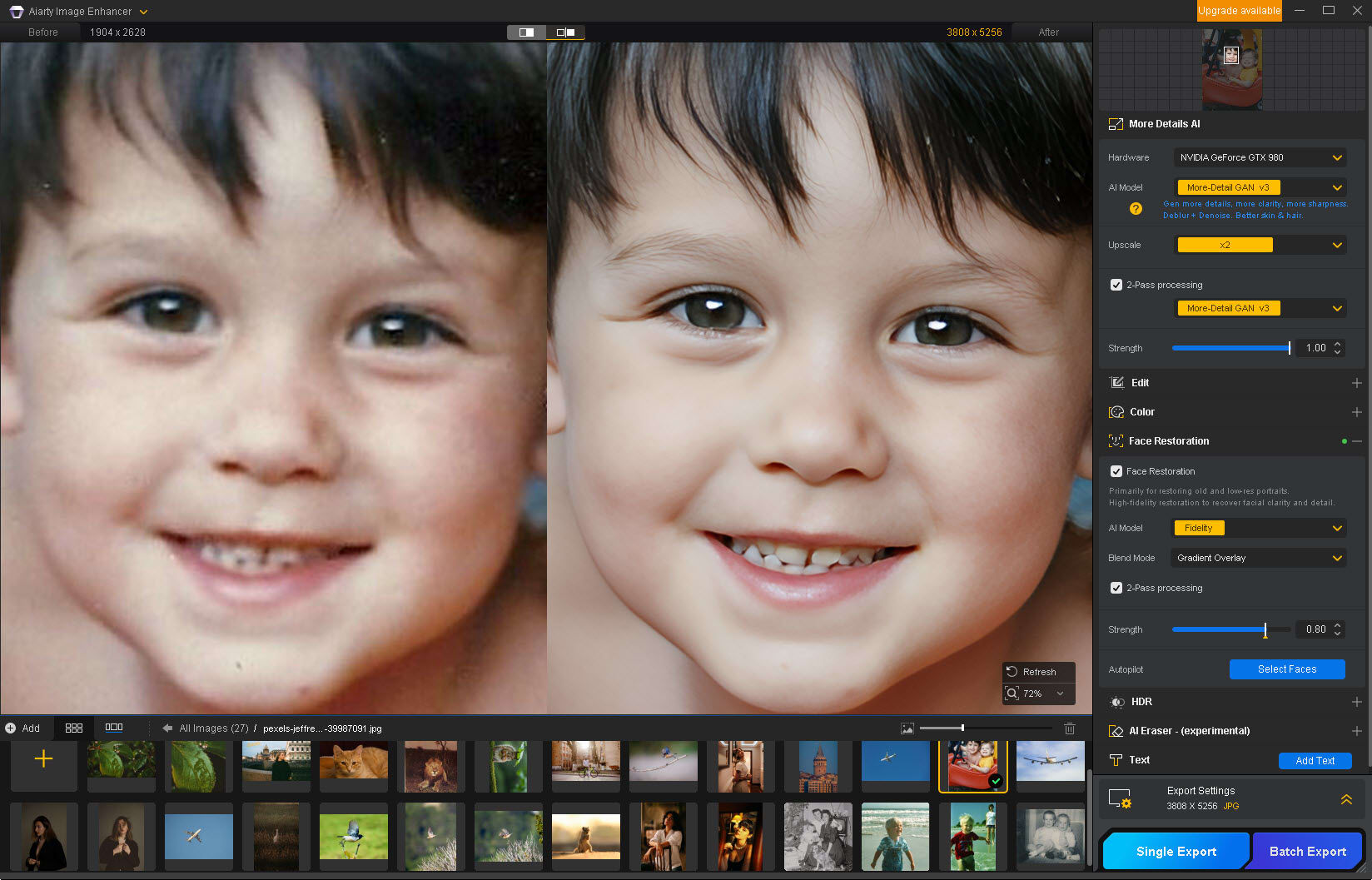
Aiarty Image Enhancer can denoise, remove blurriness and upscale supported images to a larger output size.
For older portraits and group photos, optional Face Restoration provides another way to refine facial appearance, with adjustable strength to help keep the result consistent with the original. The AI Eraser can also remove selected unwanted elements when needed.
These tools can make older or low-resolution photos more practical for sharing, albums and larger prints.
Seamless Adobe Lightroom Classic Workflow Integration
You don't need to rebuild your whole editing stack to fix difficult photos. Aiarty Image Enhancer acts as a dedicated AI quality-recovery step within the workflow you already use—sending challenging files from Lightroom Classic for deep denoise, deblur, and detail recovery, then bringing them right back so you can continue editing your way:
● Direct Lightroom External Editor Workflow: Send photos from Lightroom Classic directly to Aiarty with a simple right-click (Edit in > Aiarty Image Enhancer). Once enhanced, your photos seamlessly sync back into your Lightroom catalog.
● In-App EXIF & RAW Shooting Information: Inspect key camera shooting parameters—including Aperture, Shutter Speed, ISO, and Focal Length—directly within the preview window. Checking your shooting metadata on the spot helps you evaluate noise levels and choose the best enhancement parameters for each scene.
● Aiarty Image Enhancer supports batch processing and handles common photographic formats including RAW, DNG, TIFF, JPEG and PNG. Processing takes place safely and locally on Windows or Mac, without uploading photographs to an online enhancement service.
Special Offer: Save 49% on Aiarty Image Enhancer
Get the Aiarty Image Enhancer Lifetime License for $79 (regularly $155). Pay once and get lifetime free upgrades, with license options for 3 devices.
Prefer a one-time purchase over another recurring subscription? Take advantage of the special offer and give your camera photos a dedicated step for noise reduction, detail enhancement, and upscaling.